
Opera News: breaking & local for Android
Opera News is a news and magazines app from Opera for following local and global news, weather, events, and scores.
Get Opera News · v14.3.2254.84549Opera News suits readers who want a single feed for breaking headlines, local stories, live football scores, and U.S. weather alerts from NWS, NOAA, and SPC. The app is free, requires Android 8.0 or higher, and its current version 14.3.2254.84549 was updated on 2026-10-10.
Screen gallery



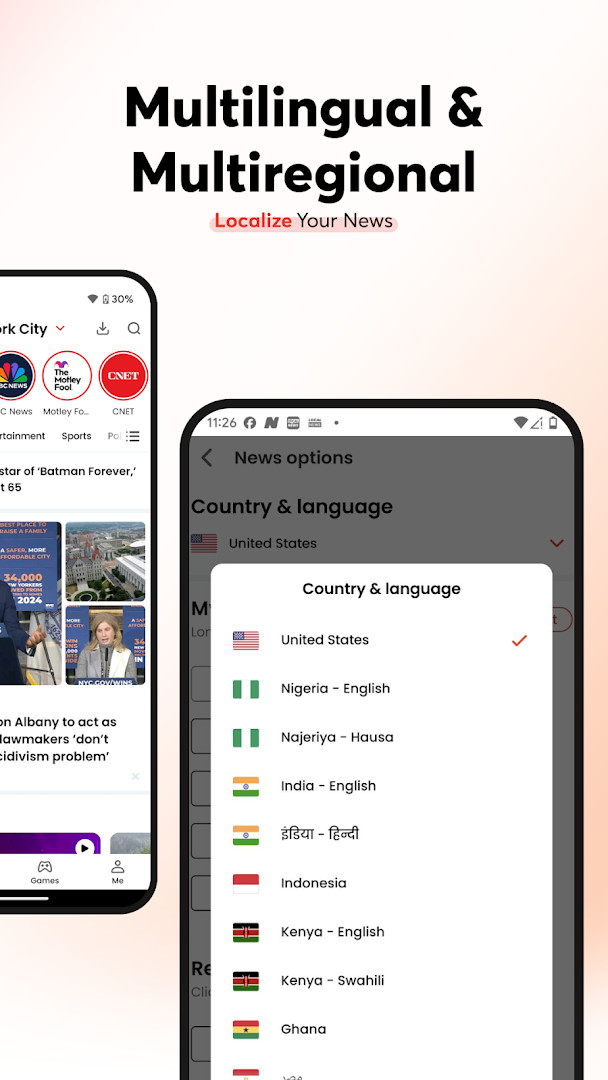



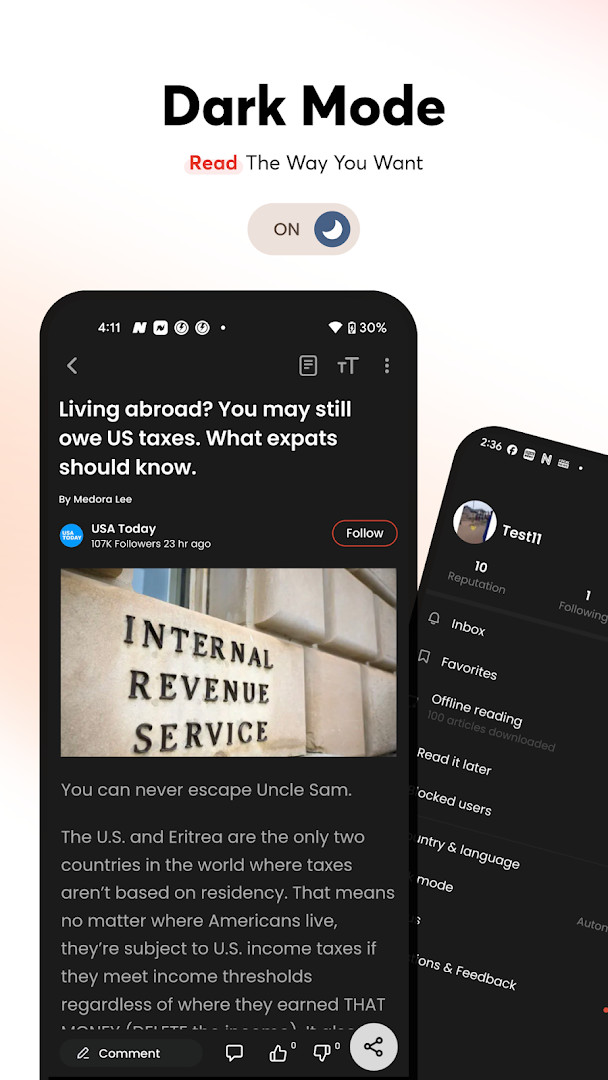
- Version
- 14.3.2254.84549
- Requires Android
- 8.0
- Updated
- Oct 10, 2026
- Installs
- 100M+
- Rating
- ★ 4.46 (707,764)
- Category
- News & Magazines
- Developer
- Opera
- Content rating
- Teen
- Package
- com.opera.app.news
- Free
- ✓ · Contains ads
Opera News: breaking & local is a news and magazines app by Opera that brings together breaking stories, local coverage, weather alerts, and live sports scores in one place. Launched in 2018 and updated as of October 2026, the app is free to use and carries advertising, with no in-app purchases. Its core promise is a personalized feed spanning global headlines, community news, entertainment, politics, technology, and lifestyle content, all pulled from over 15,000 sources. The current release is version 14.3.2254.84549, which continues the app's long-running focus on real-time information delivery.
Beyond simple headlines, the app functions as a companion for staying ahead of severe weather. It delivers notifications tied to warnings from the National Weather Service and NOAA, including flood warnings, tornado watches, blizzard warnings, heat advisories, and ice storm alerts. Live streaming, radar maps, and short video clips join daily roundups, while football fans can track Premier League, Champions League, and World Cup scores with match reports and league standings. Offline reading lets saved articles and alerts be accessed without a connection, reducing data usage.
Because the app asks for a fairly broad set of permissions - location, phone, camera, storage, media files, Wi-Fi connection information, and device ID and call information - it is worth reviewing what it can access. Location powers weather alerts and local news, while storage supports offline saving, but some requests, such as device ID and call information, go beyond what a basic news reader needs. As with any app that handles personal data, it is sensible to check these permissions at install time and adjust them afterward.
Key features
- Breaking news and weather alerts from NWS and NOAA, including flood warnings, tornado watches, blizzard warnings, and heat advisories.
- A customizable news feed covering politics, crypto, entertainment, sports, local news, and U.S. weather.
- Local coverage aggregated from more than 15,000 sources, with forecasts, radar maps, and community events.
- Live football scores and match updates for leagues such as the Premier League, Champions League, and World Cup.
- A highlight panel tracking special events like elections, Euro 2024, the Olympics, and major storms.
- Short news clips, viral videos, and live streaming of breaking events and storm coverage.
- An option to join the Opera News Hub and publish your own articles, videos, and polls.
- Offline reading for saved articles, weather alerts, and storm reports.
How to install
- Confirm your device runs Android 8.0 or newer, then tap the download button on this page to get the APK; the file size is not specified for this release.
- When Android asks, allow your browser or file manager to install apps by enabling the Install unknown apps setting for that app.
- Open the downloaded APK file from your notifications, downloads folder, or file manager.
- Tap Install and wait for the installation to complete.
- Open the app, grant only the permissions you are comfortable with, and personalize your news feed.
Pros
- Free to use with no in-app purchases.
- Broad local coverage drawn from more than 15,000 sources.
- Real-time weather alerts from official sources such as NOAA.
- Offline reading saves data and keeps articles available.
- Live football scores and match updates.
- Optional content creation through the news hub.
Cons
- Contains ads.
- Requests several sensitive permissions, including device ID and call information.
- Location and camera access may feel excessive for a news reader.
- Push notifications can become frequent if left to default settings.
Version history
| Version | Size | Requires Android | Updated |
|---|---|---|---|
| 14.3.2254.84549 | — | 8.0 | Oct 10, 2026 |
Readers who want a single feed of local and national headlines, sports fans following live football scores, and people living in areas prone to severe weather who need timely alerts will all find this app useful.
Before installing, think about whether location is truly needed for weather alerts; you can deny location and still browse news, then change the permission later in Android settings if you want local alerts.
Permissions
Frequently asked questions
Is Opera News free to download and use?
Yes, Opera News is free. The app costs nothing to download and does not include in-app purchases, though it does show ads.
What Android version do I need to install it?
Opera News requires Android 8.0 or higher. If your device runs Android 8.0 or a newer version, you should be able to install it without issues.
Do I need an account to use the app?
No, you can browse news and weather content without creating an account. However, optional features like becoming a content creator through the Opera News Hub may require signing in.
What permissions does the app request?
The app requests access to your location, phone, photos/media/files, storage, camera, Wi-Fi connection information, and device ID/call information. These are used for features like local news, weather alerts, saving articles offline, and notifications.
How do I update the app to the latest version?
To update, simply download the newest version from this page and install it over your current installation. The latest available version is 14.3.2254.84549, updated on 2026-10-10.
Does the app work offline?
Yes, Opera News includes offline reading. You can save news articles, weather alerts, and storm reports to read later without an internet connection.
Opera News is a capable, free news companion with strong local reach and dependable weather alerts, but its broad permission requests mean privacy-conscious users should review settings carefully before and after installation.
Similar apps




Updated: Nov 5, 2026