Phylax for Android
Phylax is a viewer for self-hosted Frigate NVR from sfortis for monitoring camera feeds and alerts.
Download Phylax · v2.13Phylax is for Frigate NVR users who want a dedicated Android client with smart URL switching. It runs on Android 10 and newer, takes about 15 MB, and is free to use. Phylax supports mTLS, two-way talk, and notifications without requiring an account or cloud service.
Screen gallery
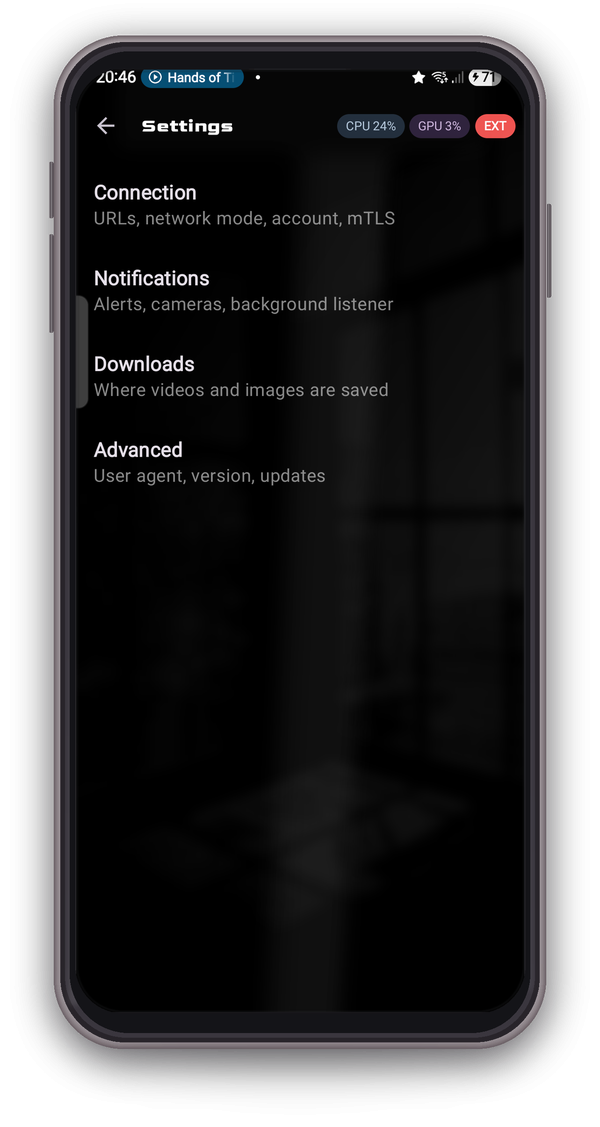
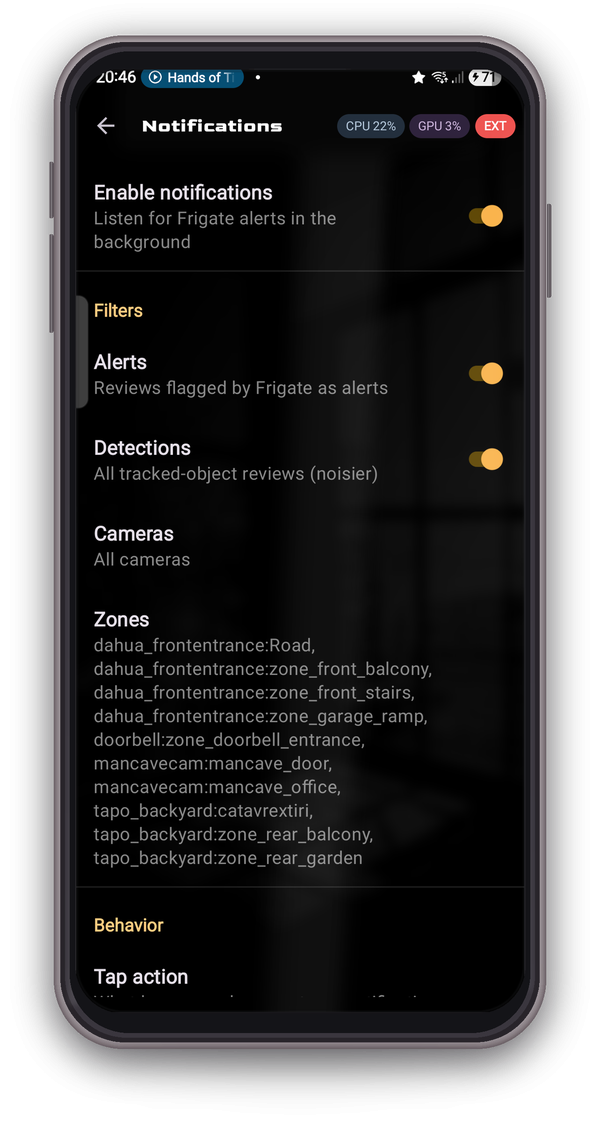
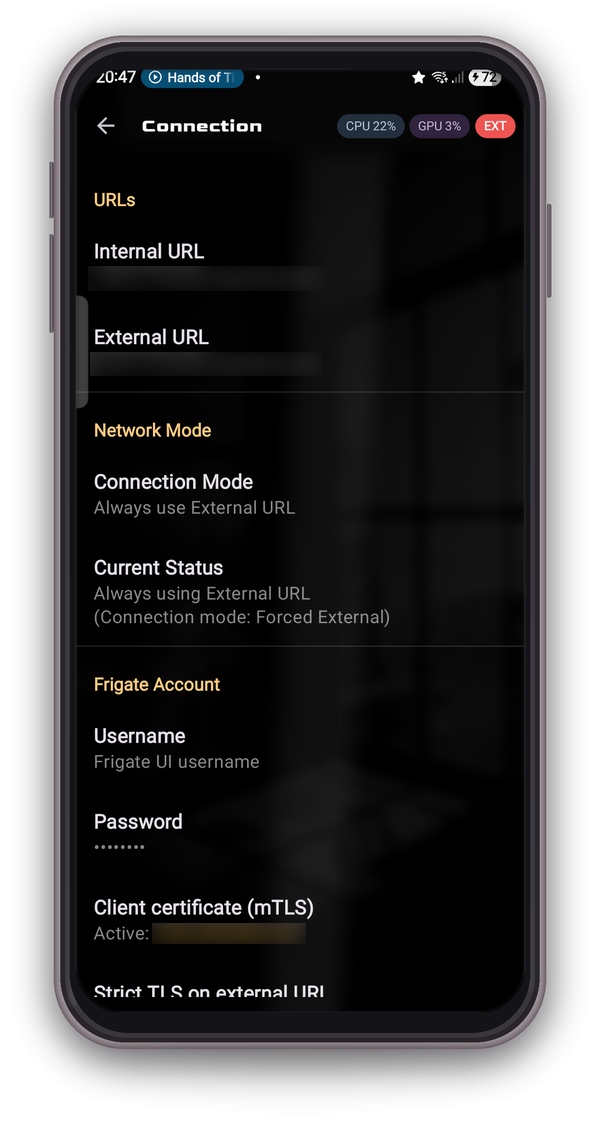
- Version
- 2.13
- Size
- 15 MB
- Requires Android
- 10
- Updated
- Sep 12, 2026
- Category
- Communication
- Developer
- sfortis
- Package
- com.asksakis.freegate
- Free
- ✓
Phylax is an Android viewer app by sfortis that connects to a self-hosted Frigate NVR and lets you watch cameras and receive event alerts from your phone. It is unofficial and not affiliated with the Frigate project, so it works as a companion client for a server you already run yourself.
The privacy angle is straightforward: there is no analytics, no cloud dependency and no account to create. Credentials are kept in encrypted local storage, and the app talks to your own server rather than routing camera data through a third party. It also supports mTLS client certificates for setups that require mutual authentication.
On the practical side, Phylax switches automatically between an internal LAN address and an external one based on the Wi-Fi SSID you are connected to, which saves manual reconfiguration when you move between home and mobile data. Background notifications carry snapshot thumbnails, and taps route you to the matching view: the Review timeline for alerts and the Explore view for detections. Per-camera, per-zone and severity filters keep the notification stream manageable, with one notification per tracked event.
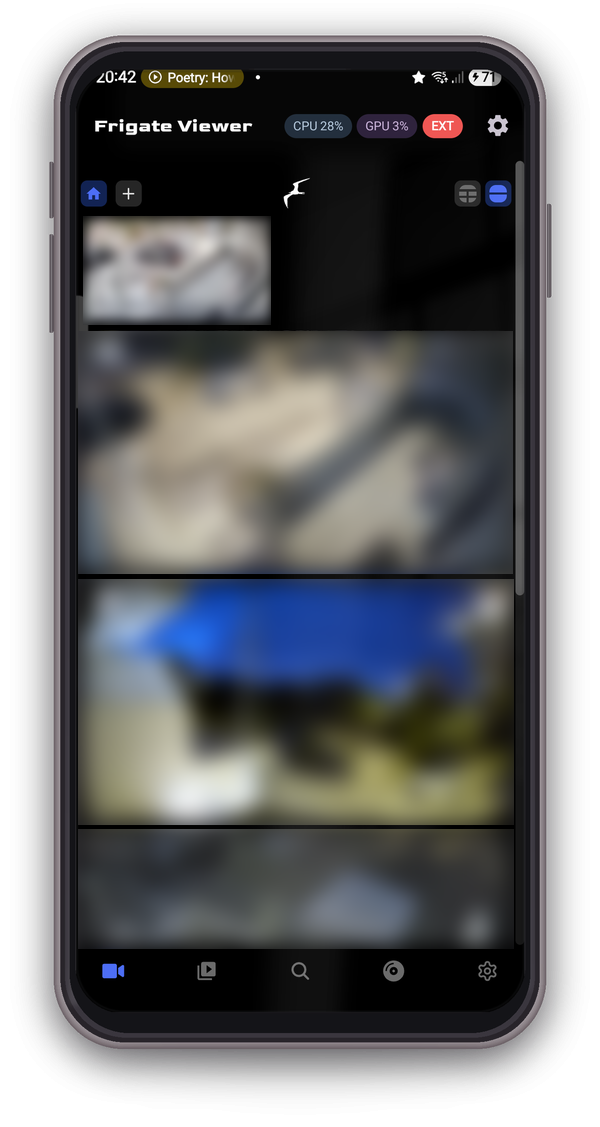
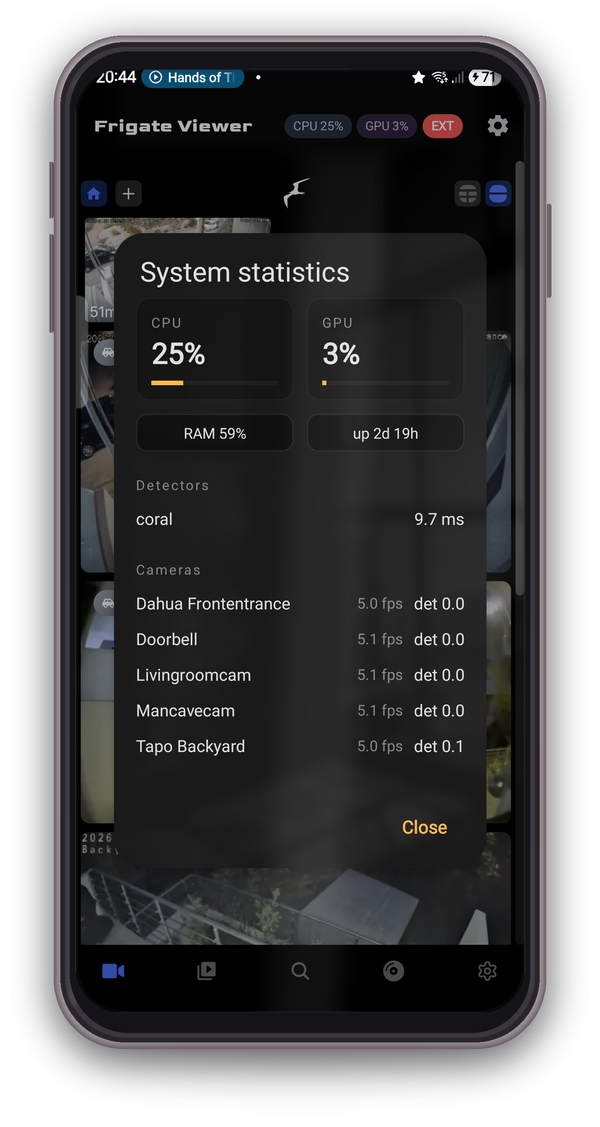
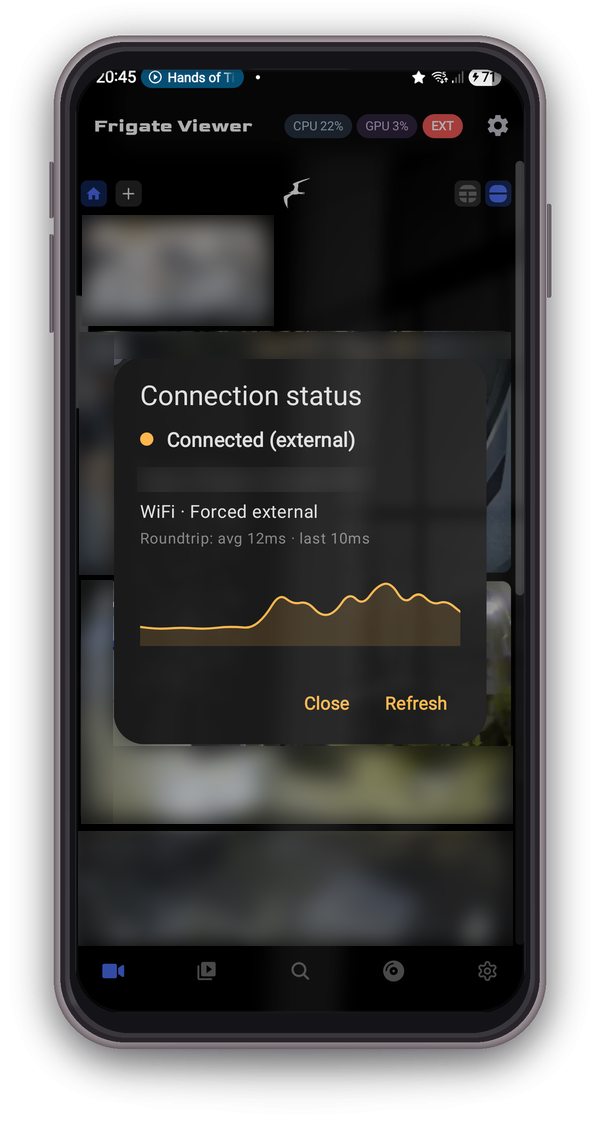
The app also surfaces server health through CPU and GPU badges in the top bar, expandable to RAM, uptime, per-detector inference and per-camera FPS, plus a connection status dialog with a live latency graph. Version 2.13 was updated on 2026-09-12, requires Android 10 or newer, and the download is 15 MB.
Key features
- Automatic URL switching between internal LAN and external Frigate addresses based on the Wi-Fi SSID you are connected to
- Background notifications with snapshot thumbnails; alerts open the Review timeline while detections open the Explore view
- Per-camera, per-zone and severity filters with a single notification per tracked event
- CPU and GPU badges in the top bar that expand to RAM, uptime, per-detector inference and per-camera FPS
- Connection status dialog showing a live latency graph
- mTLS client certificate support for authenticated server connections
- Two-way talk on doorbell and intercom cameras
- Clip and snapshot downloads to the device
- No analytics, no cloud service and no account; credentials are kept in encrypted local storage
- Built to stay reliable on Android 14 and newer using a SPECIAL_USE foreground service, wake locks and a WorkManager watchdog
How to install
- Tap the download button on this page to get the Phylax APK (about 15 MB).
- When Android asks, allow your browser or file manager to install apps — this is the "Install unknown apps" permission for that specific app.
- Open the downloaded APK file from your notifications or your file manager's Downloads folder.
- Tap Install and wait for the package to finish installing.
- Open Phylax and point it at your Frigate server address. The app requires Android 10 or newer.
Pros
- No analytics, no cloud and no account, with credentials stored in encrypted local storage
- Automatic LAN/external URL switching based on Wi-Fi SSID reduces manual setup
- Snapshot thumbnails in notifications with one alert per tracked event
- mTLS client certificate support for locked-down server configurations
- Server stats and a live latency graph help diagnose connection problems
- Reliability work for Android 14+ foreground service restrictions
Cons
- Unofficial and not affiliated with the Frigate project, so compatibility depends on your server version
- Notifications need Frigate 0.12 or later; stats require 0.13 to 0.17
- Useful only if you already run a self-hosted Frigate NVR
- Installing the APK requires enabling the "Install unknown apps" permission for your browser or file manager
Version history
| Version | Size | Requires Android | Updated |
|---|---|---|---|
| 2.13 | 15 MB | 10 | Sep 12, 2026 |
| 2.12 | 15 MB | 10 | Sep 9, 2026 |
| 2.10 | 15 MB | 10 | Aug 16, 2026 |
Phylax is aimed at people who already run a self-hosted Frigate NVR and want a phone client for live viewing, event notifications and server stats. It suits privacy-conscious users who prefer no cloud relay and no account, and who are comfortable granting a foreground service permission on Android 14 or newer.
If notifications behave inconsistently, check that battery optimization is not suspending the app, since it relies on a foreground service, wake locks and a WorkManager watchdog to stay responsive. Set up the internal and external addresses along with the correct Wi-Fi SSID so the automatic switching works as intended, and use the connection status dialog's latency graph when troubleshooting reachability. If your server uses a client certificate, enable mTLS in the app settings before testing notifications.
Frequently asked questions
How does Phylax decide between my internal LAN and external Frigate address?
Phylax automatically switches between your internal (LAN) and external Frigate URLs based on the Wi-Fi SSID you are connected to. When you join a network whose SSID you have configured as internal, it uses the LAN address; otherwise it uses the external address. This removes the need to manually change endpoints when moving between home and away networks.
What notification types does Phylax send and how can I filter them?
Phylax sends background notifications with snapshot thumbnails. Alerts open the Review timeline, while detections open the Explore view. You can apply per-camera, per-zone, and severity filters, and the app sends one notification per tracked event, so you avoid duplicate alerts for the same occurrence.
What performance information can I see in the top bar badges?
Phylax shows CPU and GPU badges in the top bar. Tapping these badges reveals details such as RAM usage, system uptime, per-detector inference times, and per-camera FPS. This gives you a quick way to monitor the health and load of your Frigate server directly from the viewer.
Does Phylax support secure connections with mTLS and two-way talk?
Yes, Phylax includes mTLS client certificate support for authenticated connections to your Frigate server. It also supports two-way talk on doorbell and intercom cameras, allowing you to communicate through those devices.
How does Phylax handle background operation on Android 14 and newer?
Phylax is designed to be reliable on Android 14+ using a SPECIAL_USE foreground service, wake locks, and a WorkManager watchdog. These mechanisms help keep background notifications and connectivity stable on newer Android versions where background execution is restricted.
Phylax is a focused, account-free viewer for a Frigate NVR you host yourself, with smart LAN/external switching, filtered snapshot notifications and useful server telemetry. Version 2.13, updated 2026-09-12, is a 15 MB download for Android 10 and above. Check that your Frigate version matches the stated notification and stats support before installing.
Similar apps



Updated: Oct 25, 2026