MotionEaseTune: Motion Sickness Prevention App
MotionEaseTune is a Health & Fitness app by BHznJNs that uses a 100Hz sound to help prevent motion sickness.
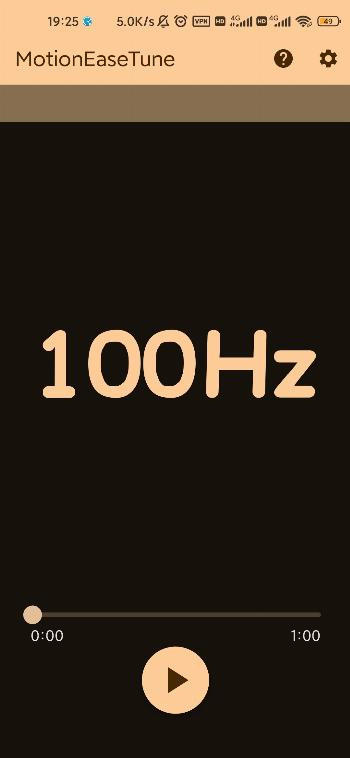
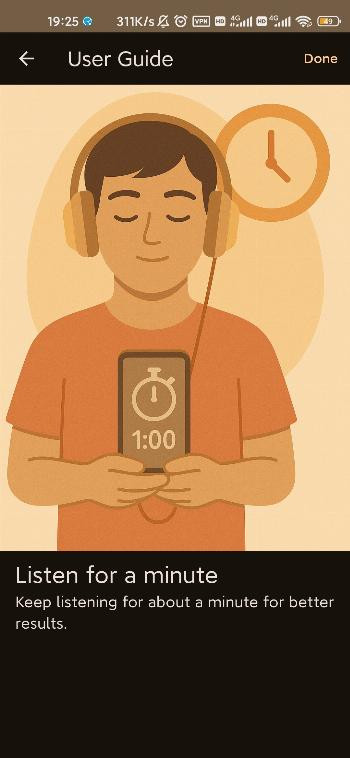
Download MotionEaseTune · v1.1.3MotionEaseTune is a free app designed for people who want to reduce motion sickness before it starts. The app plays a 100Hz tone for about one minute, and users should keep the volume equal in both ears. MotionEaseTune requires Android 5.0 or higher and has a download size of 14 MB, with version 1.1.3 released on 2025-05-29.
Screen gallery
- Version
- 1.1.3
- Size
- 14 MB
- Requires Android
- 5.0
- Updated
- May 29, 2025
- Category
- Health & Fitness
- Developer
- BHznJNs
- Package
- com.bhznjns.motion_ease_tune
- Free
- ✓
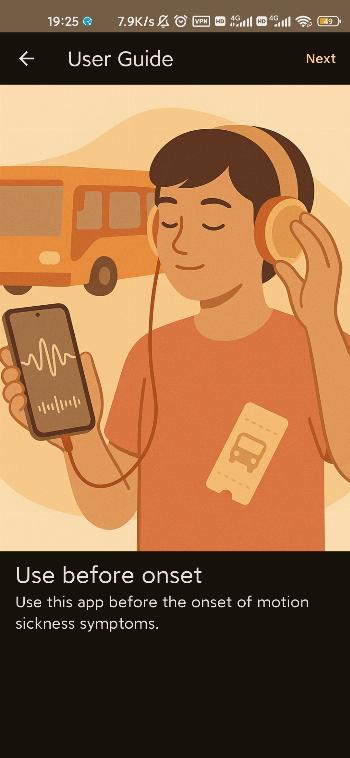
MotionEaseTune is a health and fitness app by BHznJNs that aims to prevent motion sickness by playing a 100Hz tone. The idea is simple: before you start feeling queasy, you listen to a pure 100Hz sound for about one minute. According to the developer, this brief exposure to a 100Hz tone at daily sound pressure levels may help improve motion sickness. The app is designed to be used proactively, meaning you open it and listen before symptoms begin, rather than trying to stop sickness once it has already started.
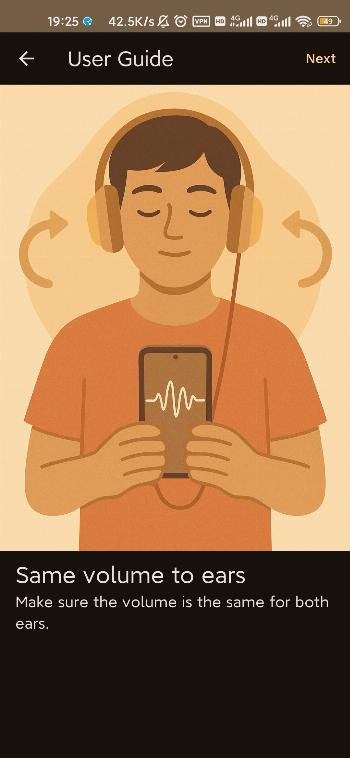
The app is meant to be a straightforward tool for anyone who deals with motion sickness during travel, whether in a car, on a boat, or in other moving environments. It is not a complex fitness tracker or a medical device; it is a focused utility that plays a specific frequency to potentially reduce discomfort. Because it relies on sound, it is essential that you use headphones or ensure the volume is balanced equally in both ears, as the developer notes that both ears should receive the same volume level.
MotionEaseTune is a free, open-source application released under the GPL-3.0 license. The current version is 1.1.3, and it was released on May 29, 2025. The app is lightweight, taking up only 14 MB of storage, and it runs on Android devices with version 5.0 or higher. It is ideal for beginners because there is no complicated setup—you simply download, open, and listen. This makes it a convenient option for travelers who want a quick, non-invasive way to try addressing motion sickness without needing to take medication or use specialized equipment.
Key features
- Plays a 100Hz pure tone designed to help prevent motion sickness
- Simple one-minute listening session before symptoms start
- Requires balanced volume in both ears for best effect
- Lightweight app at 14 MB size
- Compatible with Android 5.0 and above
- Free to use with open-source GPL-3.0 license
How to install
- Tap the download button on this page to get the APK file, which is 14 MB in size.
- When Android asks for permission, allow your browser or file manager to install apps by enabling the 'Install unknown apps' setting for that app.
- Open the downloaded APK file from your notifications or downloads folder.
- Tap the Install button on the screen that appears.
- Wait for the installation to complete, then tap Open to launch MotionEaseTune.
- Make sure your device runs Android 5.0 or higher before starting.
Pros
- Extremely simple to use—no learning curve
- Very small file size of 14 MB, so it won't take up much space
- Works on older Android devices starting from version 5.0
- Free to download and use
- Open-source license (GPL-3.0) means it's transparent
Cons
- Requires headphones or balanced volume for both ears to work as intended
- May not be effective for everyone, as motion sickness varies by person
- Only offers a single frequency tone, so it lacks additional features
Version history
| Version | Size | Requires Android | Updated |
|---|---|---|---|
| 1.1.3 | 14 MB | 5.0 | May 29, 2025 |
MotionEaseTune is for beginners and travelers who experience motion sickness and want a simple, drug-free method to try before symptoms start. It's also suitable for anyone curious about using sound therapy as a preventive measure, especially those who prefer lightweight apps with minimal setup.
For best results, use the app before you feel any motion sickness symptoms, and ensure the volume is identical in both ears—ideally using headphones. Listen for about one minute as suggested, and consider repeating the session before long trips. Remember that this is a preventive tool, not a cure, so it's best used in advance.
Frequently asked questions
How do I install the MotionEaseTune APK on my Android device?
Download the APK file from the download button on this page, then open it. If prompted, allow installation from unknown sources in your system settings, and follow the on-screen steps to finish.
What is the current version of MotionEaseTune?
The current version is 1.1.3, released on May 29, 2025. This is the only listed version.
Does MotionEaseTune contain ads or require a purchase?
No, the app is free to use and does not mention any ads or in-app purchases. It is offered under the GPL-3.0-only license.
Can I use MotionEaseTune offline?
Yes, the app works offline. It simply plays a 100Hz tone for about one minute, so no internet connection is needed after installation.
Are there alternative apps in the health and fitness category that address motion sickness?
Yes, other apps in the Sports & Health category may offer similar sound-based or relaxation techniques. However, this page only provides MotionEaseTune for download.
What Android version do I need to run MotionEaseTune?
MotionEaseTune requires Android 5.0 or higher. The app size is 14 MB, so it should install easily on most devices.
How should I use MotionEaseTune to get the best effect?
Open the app and use it before motion sickness symptoms start. Ensure the volume is equal in both ears, then listen for about one minute.
MotionEaseTune offers a refreshingly simple approach to a common travel problem. By focusing on a single 100Hz tone and a one-minute listening session, it removes all complexity and lets you try a sound-based preventive method in seconds. While results may vary, its low cost, tiny footprint, and easy installation make it worth trying for anyone prone to motion sickness.
Similar apps



Updated: Nov 5, 2026