Speedometer mph Odometer for Android
Speedometer mph Odometer is a free GPS-based speedometer and odometer from oxdb.net for measuring speed in miles per hour and trip distance on the go.
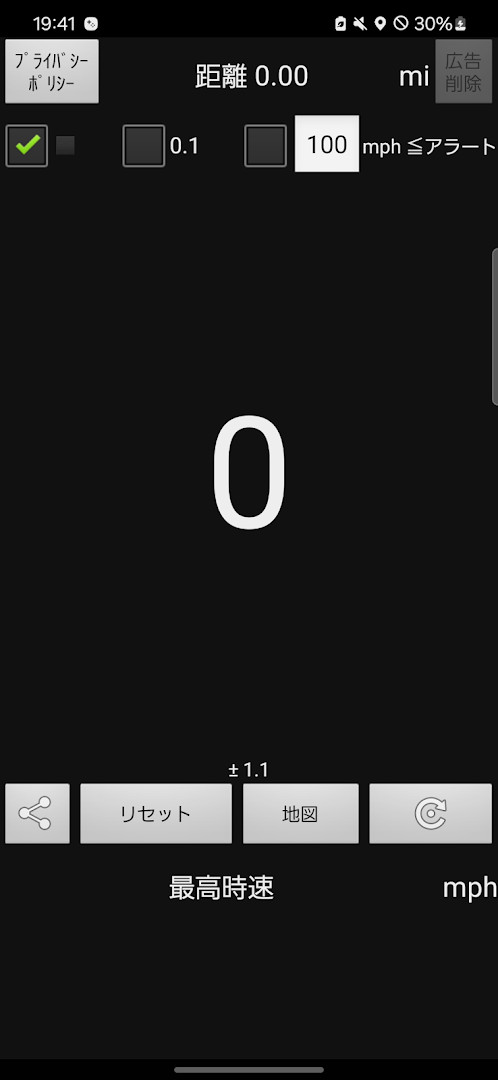
Download FreeSpeedometer mph Odometer is designed for cyclists, motorcyclists, drivers, and even plane passengers who want a simple GPS speedometer without extra clutter. The free app shows current speed in mph, tracks distance traveled, and records maximum speed with its location and time on a map. It works without an account and offline, requires Android 6.0 or higher, and is a compact 5.
Screenshots
- Size
- 5.7 MB
- Requires Android
- 6.0
- Updated
- 07.12.2025
- Installs
- 100K+
- Rating
- ★ 3.86 (332)
- Category
- Tools
- Developer
- oxdb.net
- Content rating
- Mature 17+
- Package
- net.oxdb.GPSpeedM
- Free
- ✓ · Contains ads
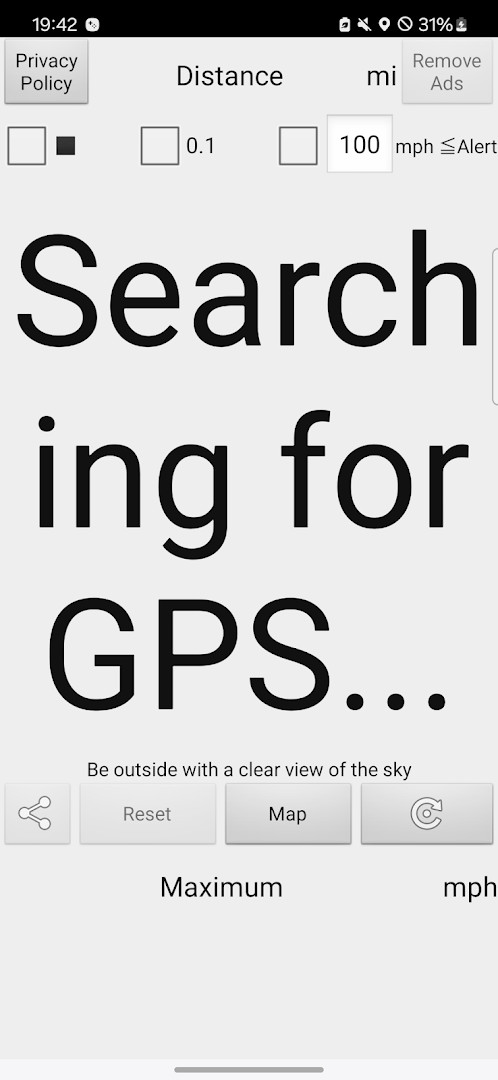
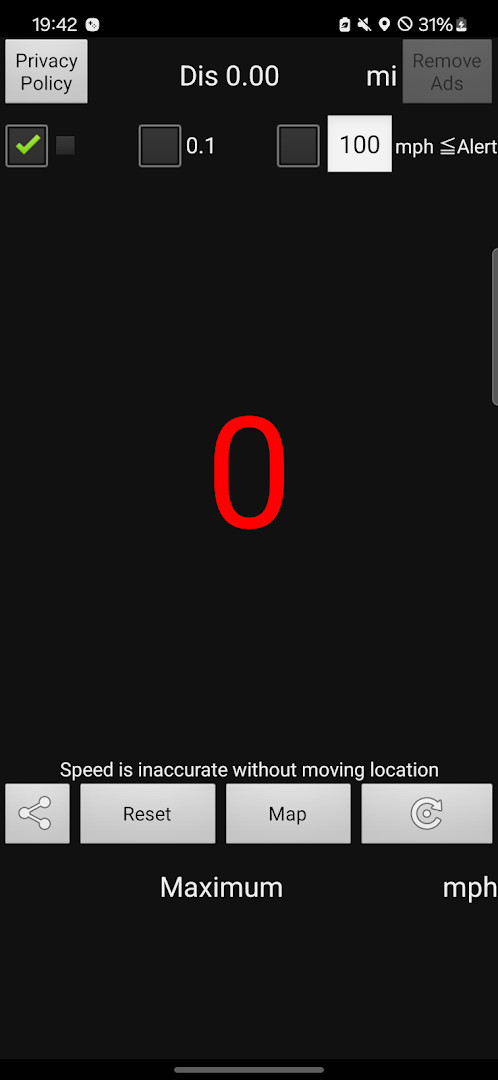
Speedometer mph Odometer is a GPS-based speedometer and odometer app by oxdb.net that measures your speed in miles per hour and tracks the distance you've traveled. It solves the problem of needing a simple, reliable speed display without extra clutter, using GPS to show current speed, record maximum speed, and map the location where that maximum occurred. The app keeps things straightforward with a light and dark mode, vibration alerts for speed thresholds, and GPS error notifications, making it useful for activities like cycling, driving, or even train travel.
Key features
- Displays current speed in miles per hour (mph) using GPS
- Tracks total distance traveled
- Records and keeps the maximum speed achieved
- Shows the position and time of the maximum speed on a map
- Vibrates when you exceed a specified speed or when a new maximum speed is set
- Switchable background between light and dark modes
- Notifies you about GPS measurement errors
- Works in vehicles including motorcycles, cars, and planes
How to install
- Tap the download button on this page to get the APK file (5.7 MB).
- When Android asks, allow your browser or file manager to install apps by enabling the 'Install unknown apps' setting.
- Open the downloaded APK file from your notifications or file manager.
- Tap 'Install' and wait for the installation to complete.
- Open the app from your app drawer. The minimum Android version required is 6.0.
Pros
- Free to use with no in-app purchases.
- Simple, focused interface without unnecessary features.
- Dark and light mode options for different lighting conditions.
- Vibration alerts help you notice speed changes without looking at the screen.
- Map display of maximum speed location adds useful context.
- Works across various modes of transportation.
Cons
- Contains ads, which may interrupt the experience.
- Requires location permission, which may concern privacy-conscious users.
- The app is rated Mature 17+, which might not be suitable for all audiences.
- No in-app purchases means no way to remove ads or support the developer directly.
- Based on ratings, user feedback is mixed, indicating potential reliability issues.
Versions
| Version | Size | Requires Android | Updated |
|---|---|---|---|
| 20250312 | 5.7 MB | 6.0 | 07.12.2025 |
| 20240827 | 5 MB | 6.0 | 30.08.2024 |
| 20230516 | 2.8 MB | 6.0 | 13.06.2024 |
| 20170815 | 1.7 MB | — | 12.09.2017 |
This app is for users who need a no-frills GPS speedometer, particularly those who prefer mph over km/h. It's suitable for cyclists, motorcyclists, drivers, and even passengers on trains or planes who want to track their speed and distance. The simple design and basic features make it a good choice for those who don't want a complex dashboard with lots of extra data. However, given the Mature 17+ rating and mixed user reviews, it's best for experienced users who understand GPS limitations and are comfortable with ads.
For the most accurate speed readings, ensure you have a clear view of the sky to maintain a strong GPS signal. Also, be aware that GPS speed may be slightly delayed compared to your vehicle's speedometer, especially during rapid acceleration or deceleration.
Permissions
FAQ
How does Speedometer mph Odometer determine my speed and distance?
It relies on GPS signals to calculate your current speed in miles per hour as well as how far you have traveled. The app also alerts you when a GPS measurement error occurs.
What happens when I beat my previous top speed or go over a set limit?
The app keeps track of your maximum speed, and it can vibrate when that maximum is updated or when you exceed a speed threshold you have chosen. The location and time associated with your fastest speed are shown on a map.
Can I change how the app looks?
Yes. You can switch the background between a light mode and a dark mode, so the display can match your preference or lighting conditions.
Is Speedometer mph Odometer suitable for more than just bicycles?
It is designed for general speed tracking, and the description notes it can also be used on motorcycles, cars and planes. It is a free app, though it does contain ads and offers no in-app purchases.
What are the technical requirements and current version details?
The app requires Android 6.0 or later and is about 5.7 MB in size. The latest version listed is 20250312, dated 2025-12-07, and earlier versions include 20240827, 20230516 and 20170815. It holds a 3.86 rating from 332 ratings and shows 100,000 installs, with a release date of 2012-04-21.
Speedometer mph Odometer offers a straightforward GPS speed and distance tracking solution with useful features like max speed logging and map display. While it includes ads and has a mature content rating, it remains a functional tool for those who need a simple mph speedometer on Android.
Similar Apps

Updated: 25.10.2026