
United Airlines Flight Booking & Travel Management
United Airlines is a free travel app by United Airlines that lets you book flights, check in, and manage your trip from your phone.
Get App · v4.2.103United Airlines version 4.2.98 requires Android 10 or higher and contains no ads or in-app purchases. The app has a 4.71 rating from 1.05 million ratings and over 10 million installs. It serves frequent flyers and leisure travelers who want to book, check in, track bags, and manage MileagePlus accounts on the go.
Screen gallery
- Version
- 4.2.103
- Requires Android
- 10
- Updated
- Nov 11, 2026
- Installs
- 10M+
- Rating
- ★ 4.71 (1,067,366)
- Category
- Travel & Maps
- Developer
- United Airlines
- Content rating
- Everyone
- Package
- com.united.mobile.android
- Free
- ✓
United Airlines is a travel and maps application by United Airlines that helps passengers plan, book, and manage air travel from a single mobile tool. The app covers the full journey, from searching flights across a global network and reserving seats to checking in, receiving boarding passes, and tracking checked bags. It also provides real-time gate and boarding updates, airport navigation aids, and in-flight entertainment and dining options, making it a practical companion for both frequent flyers and occasional travelers.
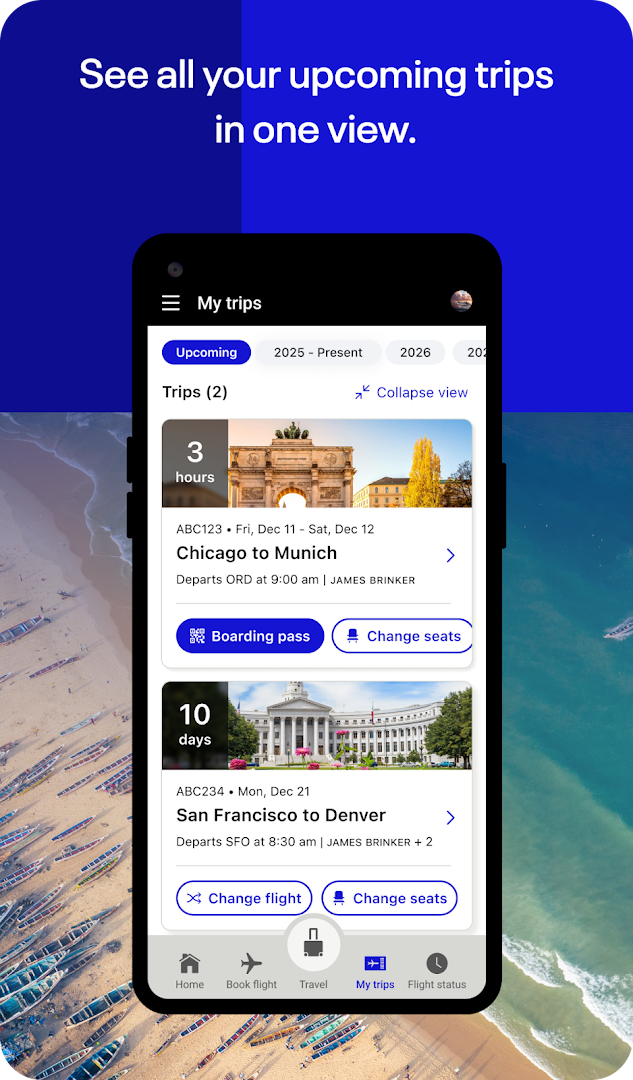
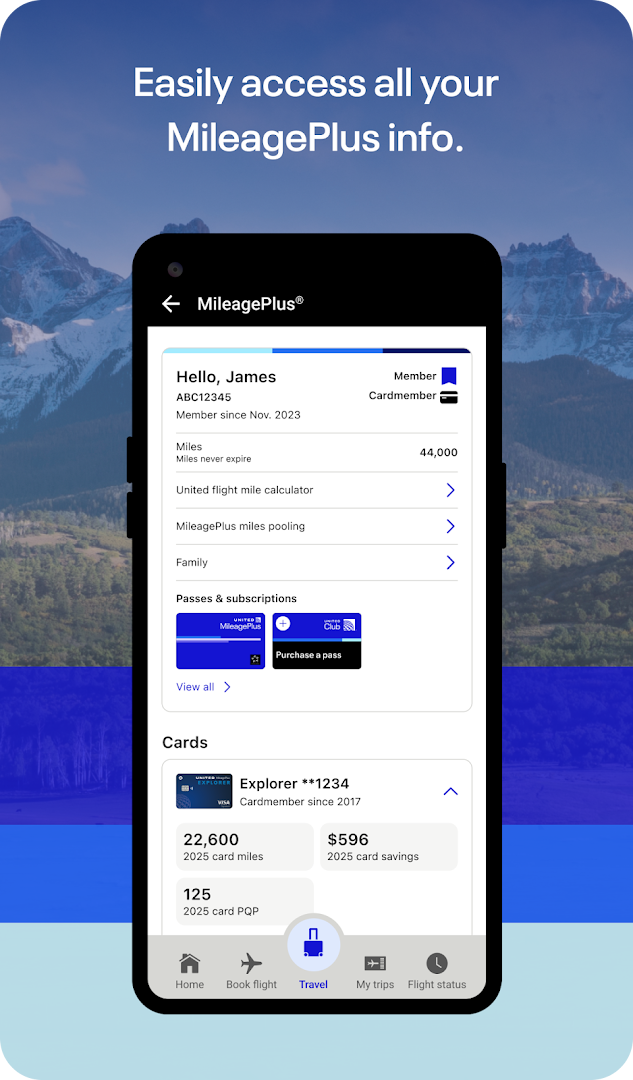
The app is designed for anyone flying with United, whether you are booking a last-minute trip, managing an existing reservation, or navigating a busy hub airport. You can use it to check in before arriving, change seats or flights if better options open up, and prepare for your trip through the Travel-Ready Center, which helps confirm you have the right documents and health requirements. For MileagePlus members, the app also supports account management, award bookings, and access to free high-speed Wi-Fi on select flights.
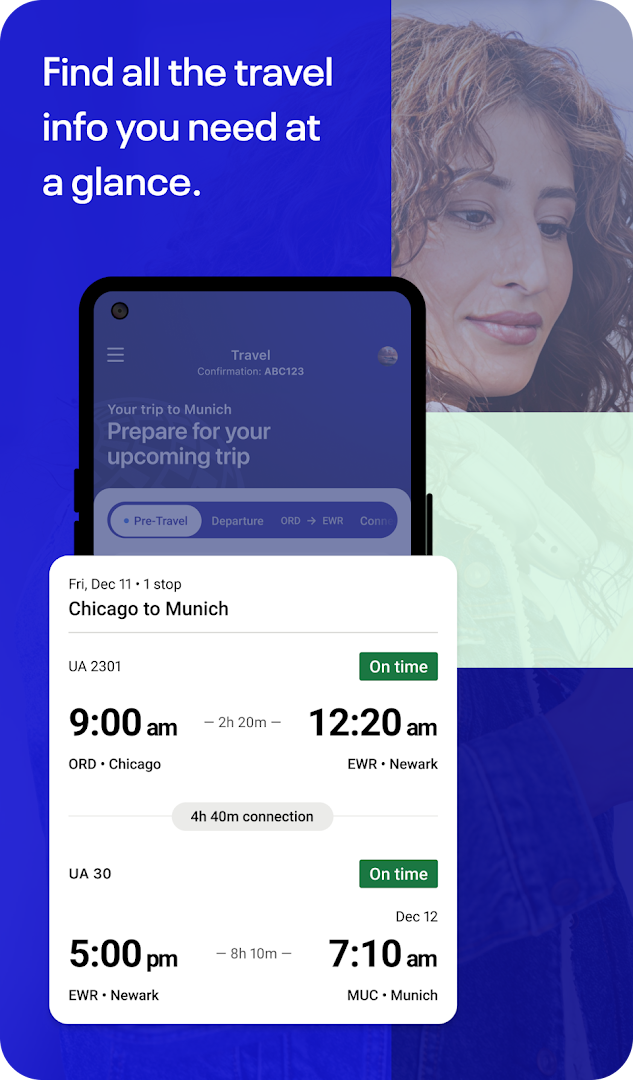
On the day of travel, the app consolidates important information in one place: flight updates, transfer times, gate assignments, and boarding progress notifications. If your flight is delayed or canceled, you can use the app to figure out your next steps, and you can reach an agent via talk, text, or video chat when you need help. The built-in terminal guide and airport maps help you find your gate and navigate the airport with less stress, while the notifications tray and lock screen keep you informed without needing to open the app.
For in-flight needs, the app lets you watch movies, play games, and pay for snacks and drinks while airborne. It also supports bag drop shortcuts and live bag tracking so you can follow your luggage from check-in to arrival. With a content rating of Everyone and no ads or in-app purchases, the app focuses on straightforward travel assistance for a wide audience, from families to business travelers.
Key features
- Search for flights across the global network and book them directly in the app
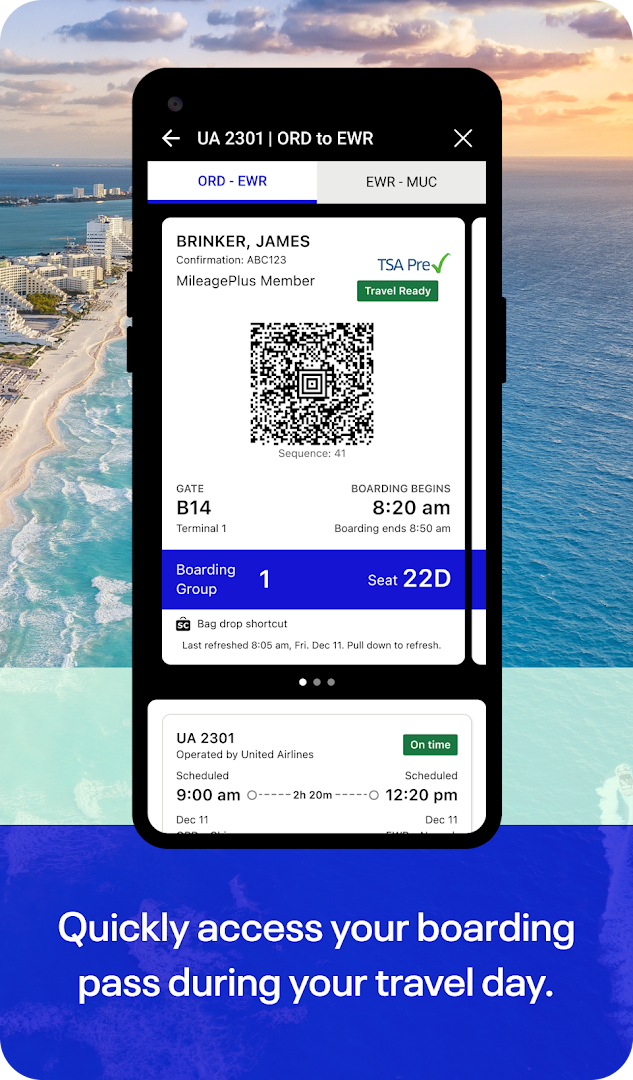
- Check in for flights and get boarding passes before reaching the airport
- Change seats or flights when better options become available
- Use the Travel-Ready Center to prepare for trip requirements
- Add bags, drop them at bag drop shortcuts, and track them along the journey
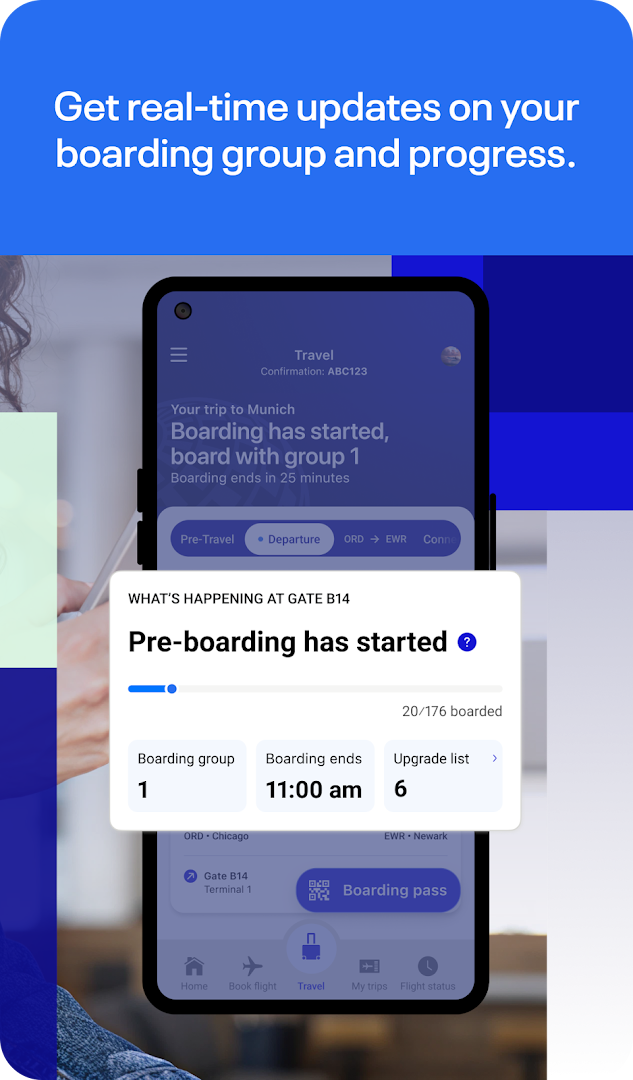
- Receive real-time boarding progression updates so you know when it's your turn
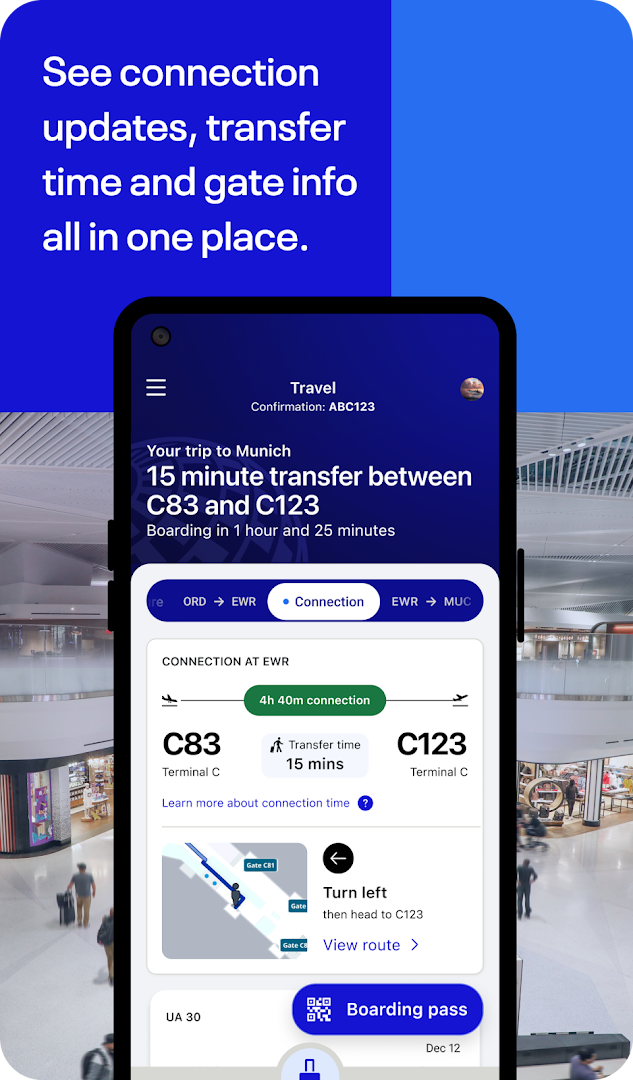
- View flight updates, transfer times, and gate info in one place for connections
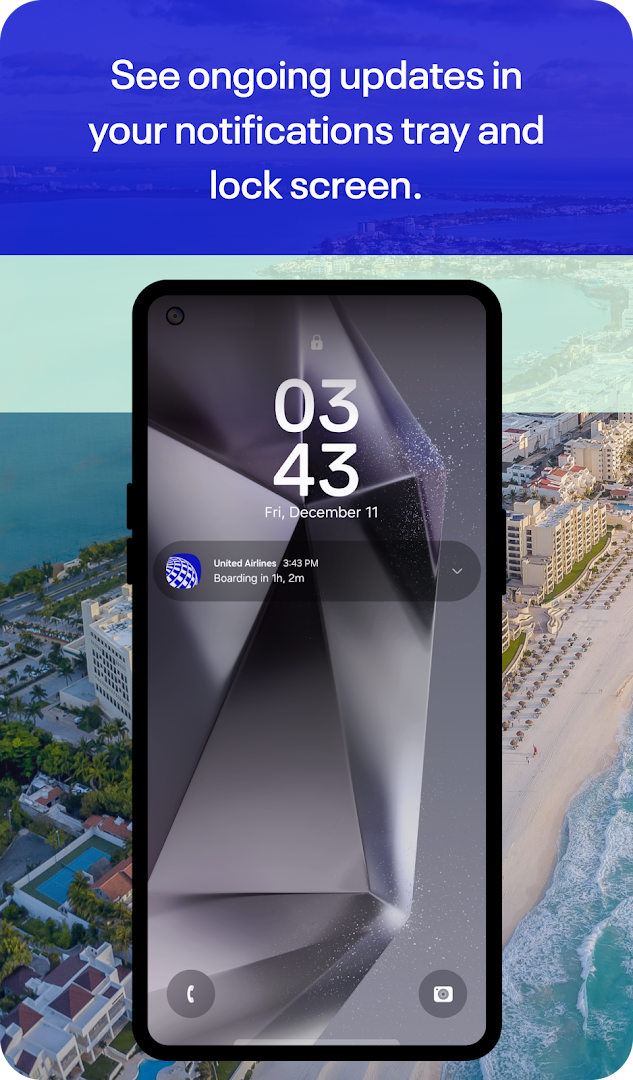
- See ongoing updates in the notifications tray and lock screen
- Use the built-in Terminal guide and airport maps to find gates and navigate terminals
- Watch movies, play games, and pay for inflight snacks and drinks
How to install
- Tap the download button on this page to get the APK file for version 4.2.98, which requires Android 10 or higher. The file size is not specified in the available data.
- When Android asks, allow your browser or file manager to install apps by enabling the 'Install unknown apps' setting for that app.
- Open the downloaded APK file from your notifications or file manager.
- Tap Install when prompted and wait for the installation to complete.
- Open the United Airlines app from your home screen or app drawer and sign in or create an account to start using it.
Pros
- Comprehensive travel management from booking to boarding
- Real-time updates for gates, boarding, and flight changes
- Built-in airport maps and terminal guide for navigation
- In-flight entertainment and dining options included
- No ads and no in-app purchases, keeping the experience clean
- Free high-speed Wi-Fi on select flights for MileagePlus members
Cons
- Requires access to many permissions like location, camera, and phone, which may raise privacy concerns
- App functionality is limited to United Airlines flights and services
- In-flight Wi-Fi and some features depend on flight availability and membership status
What's new · 4.2.103
United Airlines version 4.2.98, released September 29, 2026, continues our focus on making the app easier to use. This update is part of our ongoing effort to streamline the experience and offer you more self-service options. We're dedicated to refining the app so you can manage your travel with greater convenience.
Version history
| Version | Size | Requires Android | Updated |
|---|---|---|---|
| 4.2.103 | — | 10 | Nov 11, 2026 |
| 4.2.98 | — | 10 | Sep 29, 2026 |
This app is for United Airlines passengers who want a single tool to book, manage, and navigate their trips, especially those who value real-time updates, airport maps, and in-flight entertainment. It suits both frequent flyers who use MileagePlus and occasional travelers looking for a straightforward way to check in and track their journey.
Enable notifications for the app so you receive boarding and gate updates on your lock screen. Before your trip, use the Travel-Ready Center to confirm all requirements, and check the airport maps in advance to familiarize yourself with terminal layouts. If you are a MileagePlus member, sign in early to access free Wi-Fi on eligible flights and manage your miles for award bookings.
Permissions
Frequently asked questions
What can I do with the United app if my flight gets delayed or canceled?
The app is designed to help you figure out your next steps if your flight is delayed or canceled, so you can self-serve and make alternative arrangements directly from your device.
Does the app let me track my checked bags after I drop them off?
Yes, you can add your bags in the app, use the bag drop shortcut at the airport, and then track them along your journey to stay informed about their status.
How can the app help me prepare for a connecting flight?
The app shows flight updates, transfer time, and gate information all in one place, and includes a built-in Terminal guide and airport maps to help you navigate to your gate with ease.
Can I use the app to manage my MileagePlus account and book award travel?
Yes, you can enroll in MileagePlus or manage your existing account, and use your miles to book award travel directly within the app.
What kind of inflight services can I access through the app?
While in the air, you can watch movies, play games, and pay for snacks and drinks. On select flights, high-speed inflight Wi-Fi enabled by Starlink is available and free for MileagePlus members.
Does the app provide real-time boarding notifications?
Yes, the app gives you real-time updates on boarding progression so you know when it's your turn to board, and you can also see ongoing updates in your notifications tray and lock screen.
United Airlines is a practical, all-in-one travel companion that simplifies the flying experience from booking to arrival. With real-time updates, airport navigation tools, and in-flight features, it helps you stay informed and prepared. While the app requests several permissions, its feature set is designed to cover the full journey, making it a valuable tool for anyone flying with United.
Similar apps




Updated: Nov 13, 2026