Weather & Clock Widget for Android
Weather & Clock Widget is a weather app from Interactive Saudi Arabia for tracking current conditions, hourly and 10-day forecasts, and home screen widgets.
Download Weather & Clock Widget · v6.5.5.2Weather & Clock Widget suits people who want current conditions and extended forecasts on their home screen without opening a separate app. It is free to download, requires Android 7.0 or newer, and has drawn more than 2.4 million ratings since its 2011 release.
Screen gallery
- Version
- 6.5.5.2
- Requires Android
- 7.0
- Updated
- Jul 25, 2026
- Installs
- 50M+
- Rating
- ★ 4.22 (2,477,406)
- Category
- Weather
- Developer
- Interactive Saudi Arabia
- Content rating
- Everyone
- Package
- com.devexpert.weather
- Free
- ✓ · Contains ads
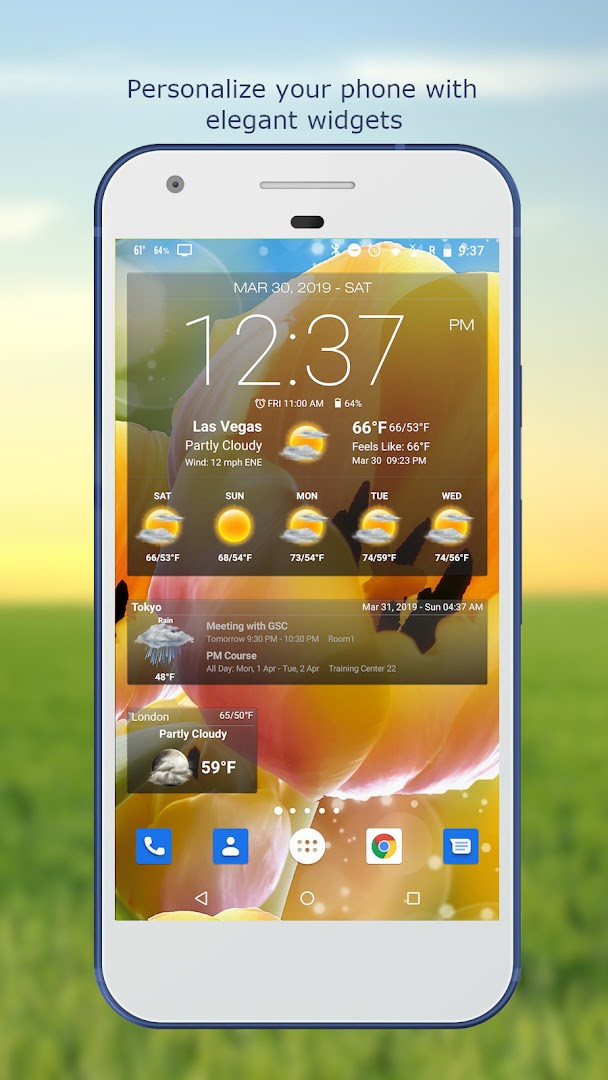
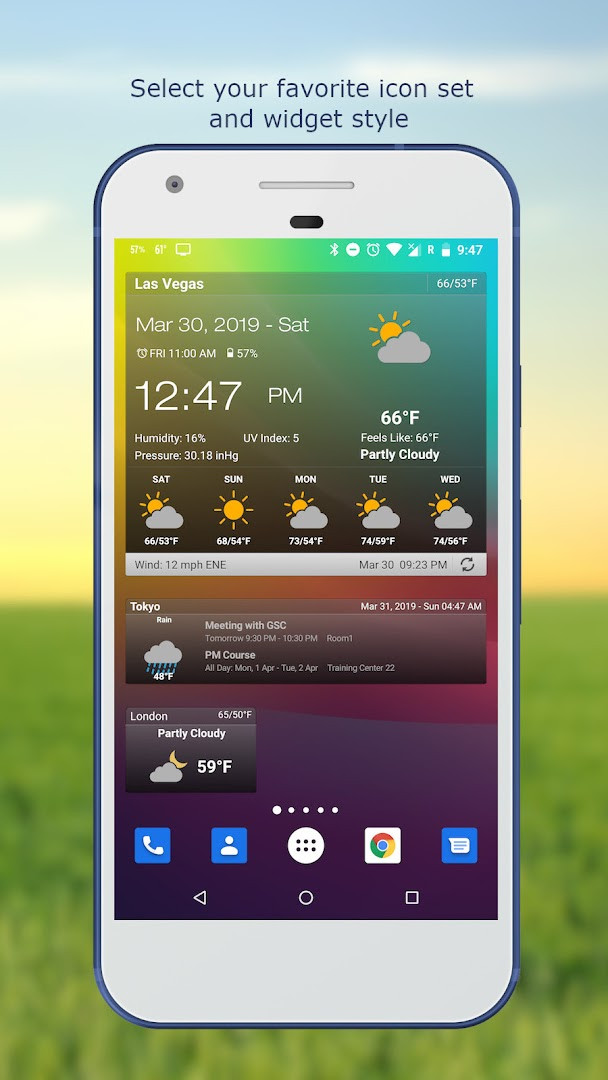
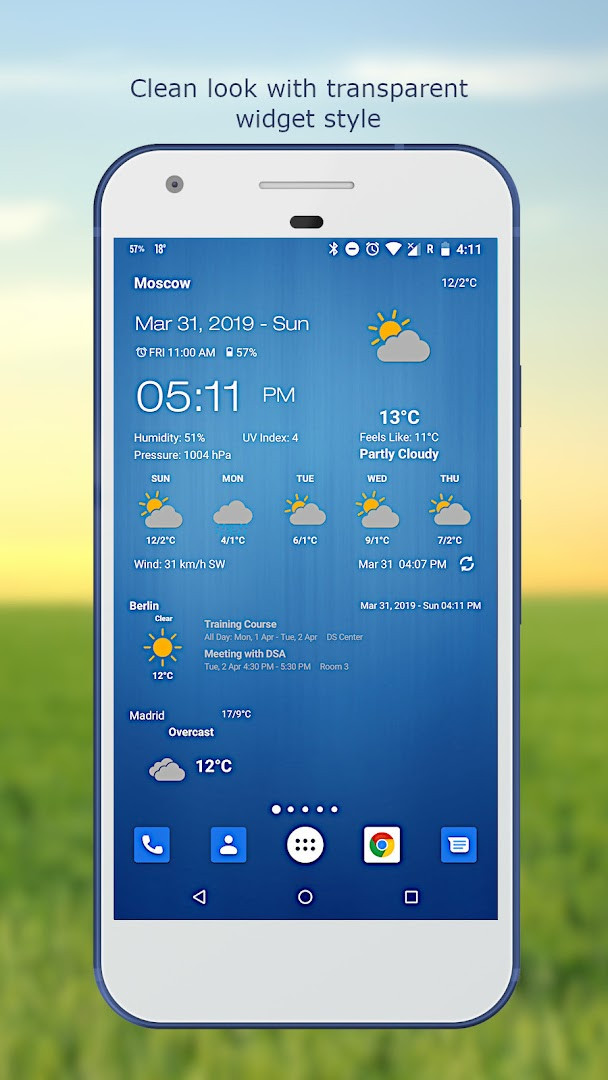
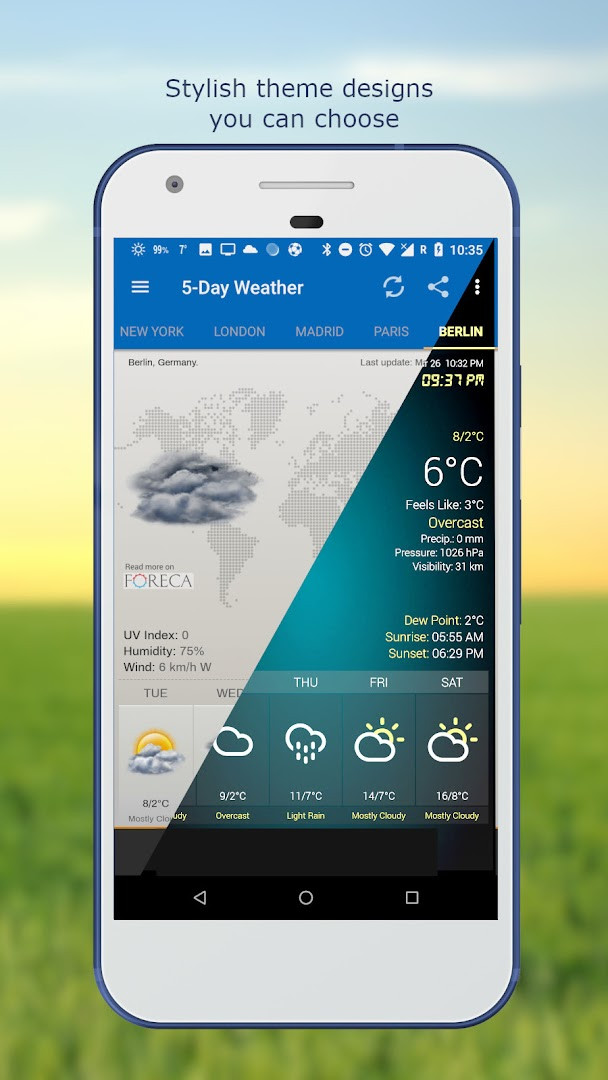
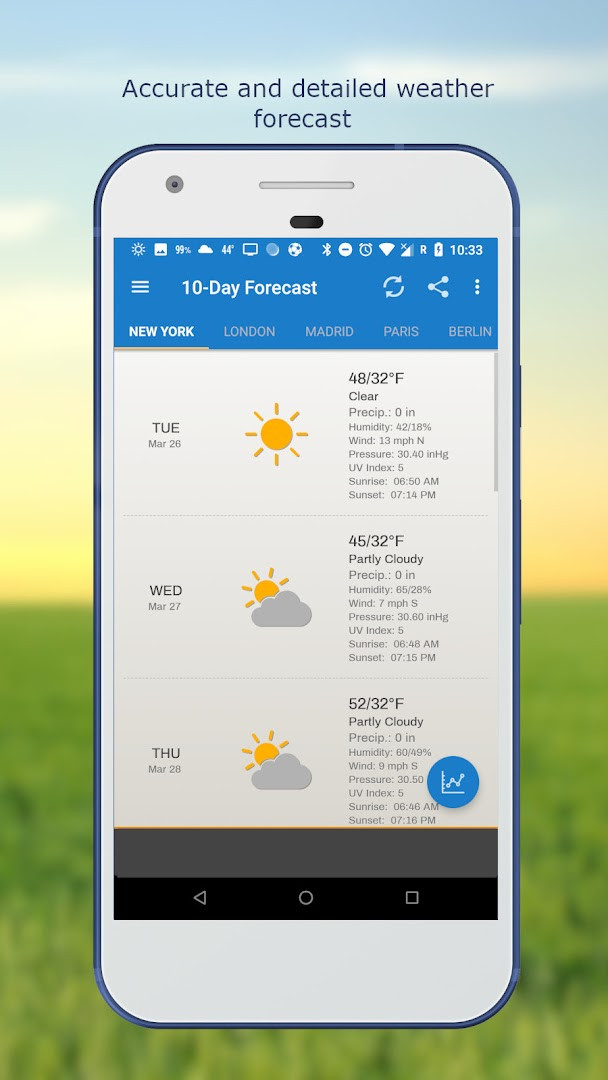
Weather & Clock Widget is a weather app by Interactive Saudi Arabia that provides real-time weather observations and future forecasts with customizable home screen widgets. The app delivers current conditions, hourly forecasts, and extended outlooks for up to ten days, along with a suite of atmospheric data such as temperature, humidity, pressure, visibility, precipitation, UV index, dew point, wind speed and direction, and sunrise/sunset times. It also integrates practical tools like a moon phase display, next alarm indicator, battery level, and calendar events, all accessible through elegant widgets that can be personalized with different fonts and themes.
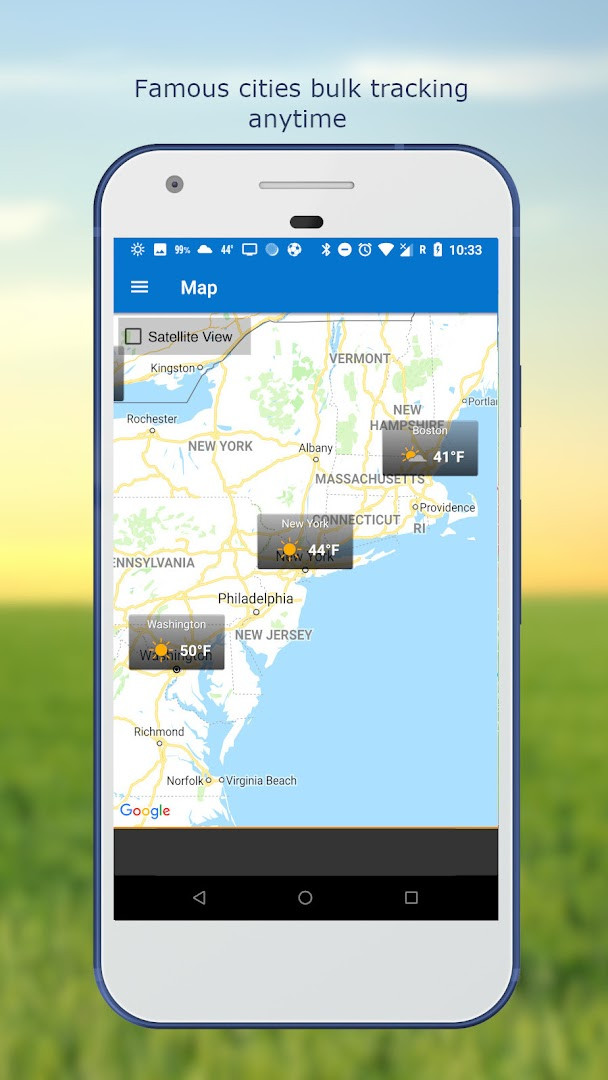
Designed for Android devices running version 7.0 or higher, the app offers automatic location detection via network and GPS, as well as manual search by name or zip code. Users can follow multiple locations, choose from several weather providers, and set update intervals ranging from 15 minutes to 12 hours or manual refresh. The app also includes weather notification alerts and the ability to share weather and location information with friends.
With over 50 million installs and a rating of 4.22 based on nearly 2.5 million ratings, Weather & Clock Widget has a broad user base. It is free to use and contains ads, but no in-app purchases. The app requests access to calendar and location data, which are necessary for displaying calendar events and providing accurate local weather. This makes it suitable for anyone who wants a comprehensive weather app with visually appealing widgets and detailed forecast data.
Key features
- Automatic location detection via network and GPS
- Manual location search by name or zip code
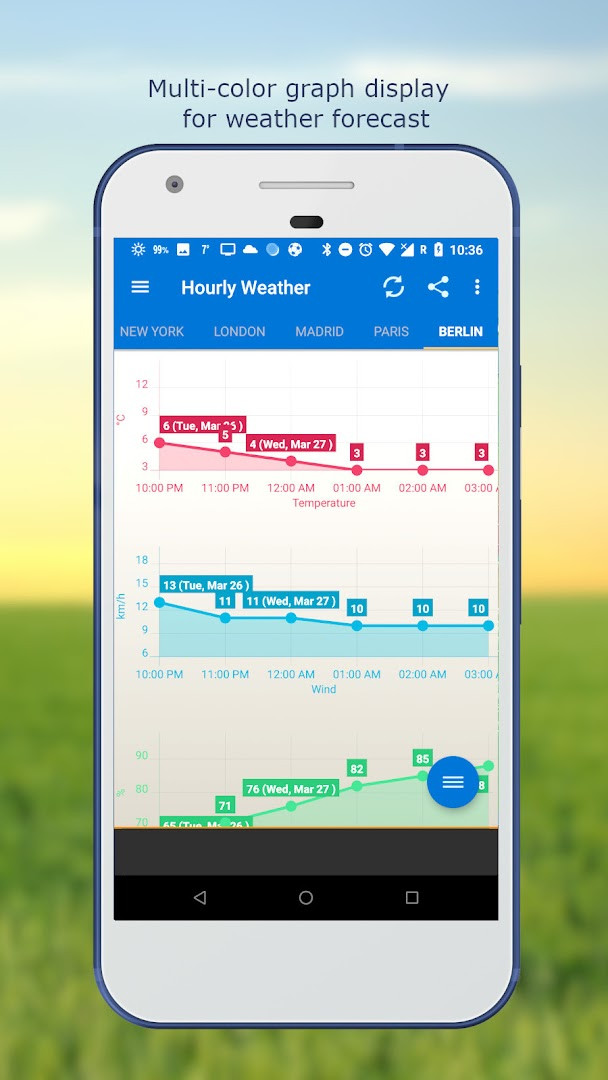
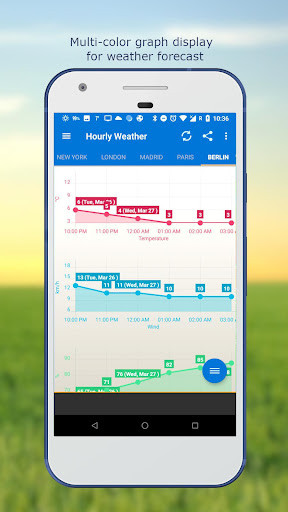
- Hourly, 5-day, and 10-day weather forecasts with chart graphs
- Current weather conditions including temperature, humidity, pressure, visibility, precipitation, UV index, dew point, and wind
- Celsius and Fahrenheit temperature units
- Sunrise and sunset times
- Weather notification alerts
- Multiple weather providers
- Elegant home screen widgets with customizable fonts and themes
- Displays next alarm, battery level, calendar events, and moon phase
How to install
- Tap the download button on this page to get the APK file for Weather & Clock Widget version 6.5.5.2.
- When your browser or file manager asks for permission to install apps, allow it by enabling the 'Install unknown apps' setting for that app.
- Open the downloaded APK file from your notification bar or file manager.
- Tap 'Install' on the installation screen and wait for the process to complete.
- After installation, tap 'Open' to launch the app. Ensure your device runs Android 7.0 or higher.
- The file size is not specified, so ensure you have sufficient storage space.
Pros
- Comprehensive weather data including UV index, dew point, and wind details
- Multiple forecast lengths (hourly, 5-day, 10-day) with graph charts
- Highly customizable widgets with themes and font options
- Supports multiple locations and automatic location detection
- Battery and alarm information displayed on widgets
- Update intervals can be set to save data usage
Cons
- Contains ads
- Requests access to calendar and location data
- No in-app purchases, but ads may be intrusive for some users
- The app may consume battery due to frequent updates if set to short intervals
What's new · 6.5.5.2
This update focuses on refining the overall experience. It includes several bug fixes and performance improvements to help the widget run more smoothly and reliably on your device.
Version history
| Version | Size | Requires Android | Updated |
|---|---|---|---|
| 6.5.4.6 | 14 MB | 5.0 | Jul 28, 2026 |
| 6.5.5.2 | — | 7.0 | Jul 25, 2026 |
| 6.5.4.3 | 15 MB | 5.0 | Aug 9, 2024 |
| 6.5.4.2 | 14 MB | 5.0 | Aug 5, 2024 |
This app is ideal for anyone who wants a reliable weather app with rich forecast data and the ability to personalize their home screen with informative widgets. It suits users who appreciate detailed atmospheric metrics, multiple location tracking, and the convenience of seeing their calendar, alarm, and battery status at a glance.
To extend battery life, consider setting longer update intervals (e.g., 3 or 6 hours) and enabling the 'Update on WiFi only' option when traveling. Also, review the app's location and calendar permissions to ensure you are comfortable with the data it accesses.
Permissions
Frequently asked questions
How do I install Weather & Clock Widget on Android?
Your device needs Android 7.0 or newer. Open the app page here, use the download button, then allow installation from your browser or file manager when Android asks, and confirm the install prompt. Once it finishes, launch the app and grant the Calendar and Location permissions so widgets and forecasts work properly.
What is the latest version of Weather & Clock Widget?
The current release is version 6.5.5.2, dated July 25, 2026. It brings multiple bug fixes and performance improvements over earlier builds such as 6.5.4.6.
Does Weather & Clock Widget show ads or offer paid upgrades?
Yes, the app is free and supported by ads. There are no in-app purchases, so all listed features are available without buying anything inside the app.
Can I use Weather & Clock Widget without a constant connection?
Forecast and observation data come from weather providers, so the app needs a network connection to refresh them. You can set updates to run on Wi-Fi only and stop while roaming, and choose automatic intervals of 15 or 30 minutes, 1, 3, 6, 9 or 12 hours, or update manually.
Which permissions does the app request?
It asks for Location and Calendar access. Location is used for automatic detection by network and GPS or for finding a place by name or zip code, while Calendar access lets widgets show your upcoming events.
What can the widgets display?
The home screen widgets can show current conditions, hourly and daily forecasts, moon phase, time and date, your calendar events, the next alarm and battery level, with customizable fonts and themes.
Are there other apps in the weather category I could compare?
Yes. Many weather apps in the same category offer forecasts and widgets, so compare factors like forecast length, update options, widget customization and permission requests before deciding which one suits your needs.
Weather & Clock Widget offers a robust set of features for weather enthusiasts and casual users alike, combining accurate forecasts with stylish widgets. While it includes ads and requires certain permissions, its extensive customization and detailed data make it a worthwhile choice for Android users seeking a comprehensive weather solution.
Similar apps



Updated: Oct 25, 2026