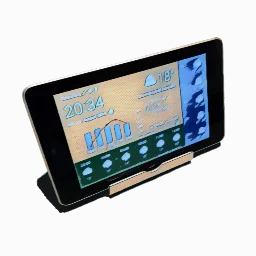
WhatWeather - Weather Station: Live Weather Display
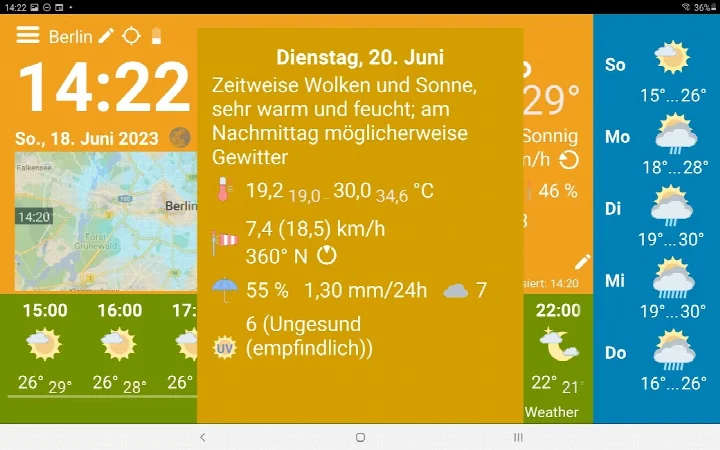
WhatWeather - Weather Station is a free weather app by kolov.com that lets you turn an old Android device into an always-on weather display.
Get WhatWeatherWhatWeather - Weather Station is a 3.8 MB app that requires Android 12L or higher and contains no ads, though it offers in-app purchases for extra features. It is designed for owners of older phones or tablets who want a dedicated, always-on weather screen. The app shows current conditions, hourly and daily forecasts, and a three-day history without cost.
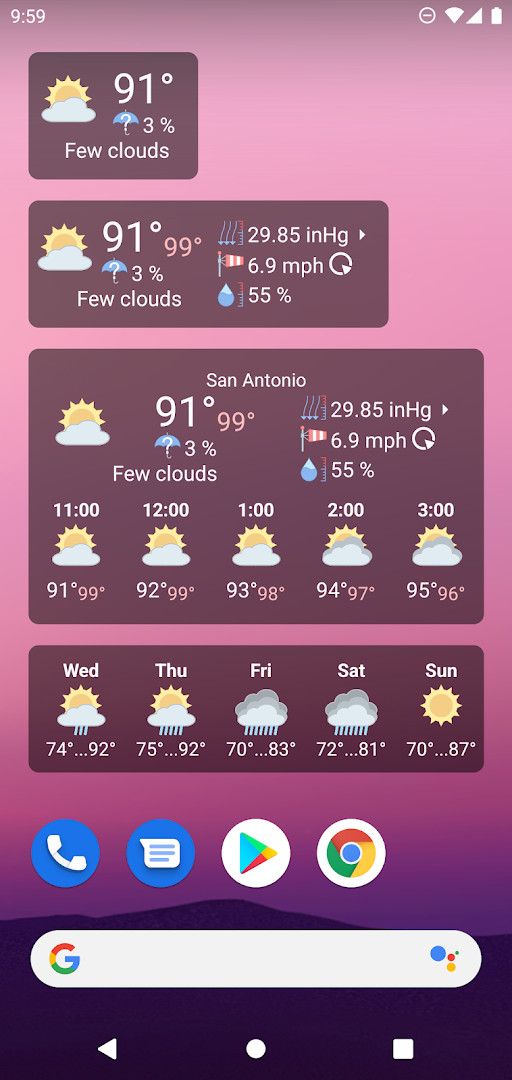
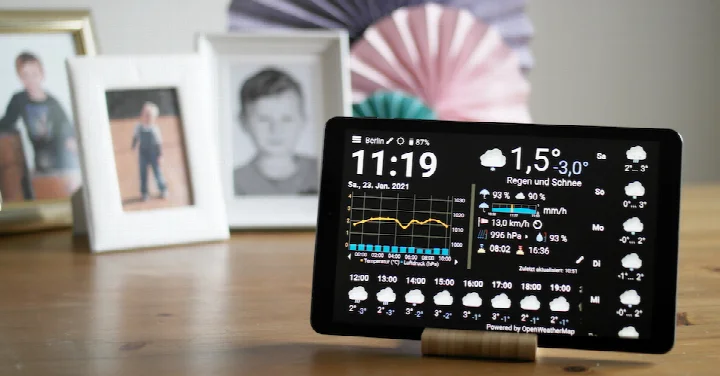
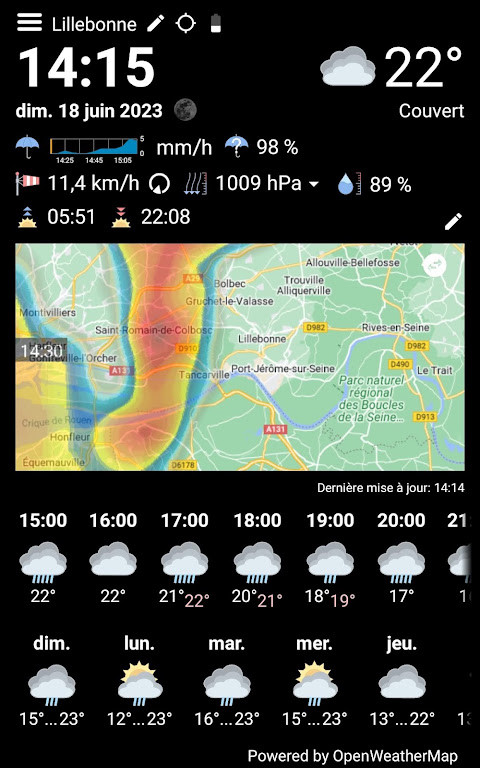
Screen gallery
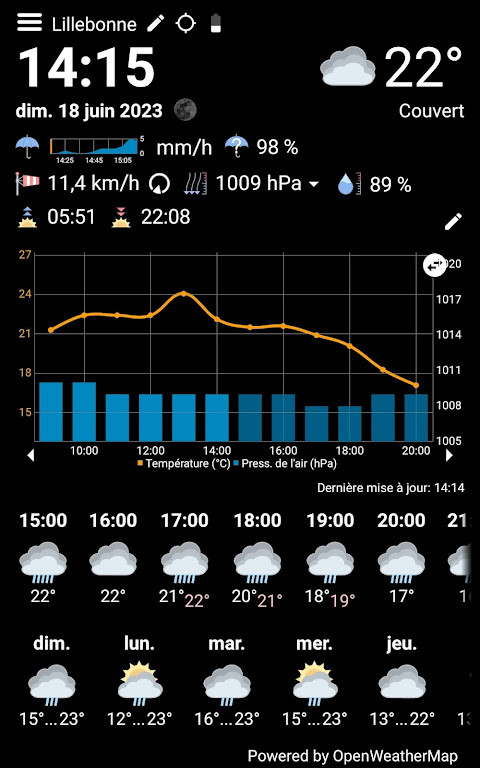
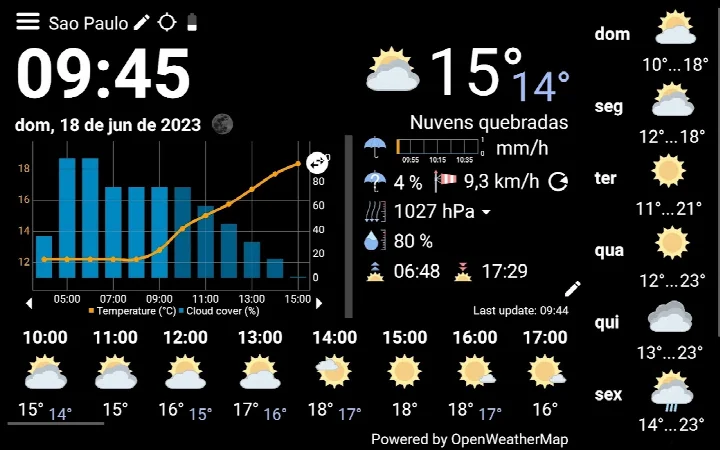
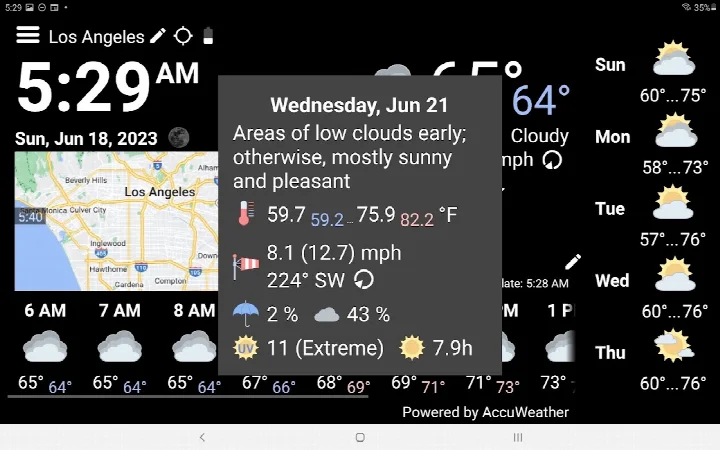
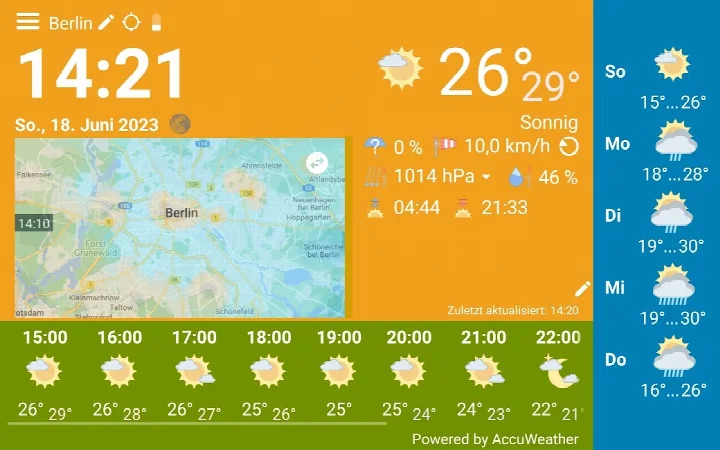
- Size
- 3.8 MB
- Requires Android
- 12L
- Updated
- Oct 26, 2026
- Installs
- 500K+
- Rating
- ★ 4.25 (4,141)
- Category
- Weather
- Developer
- kolov.com
- Content rating
- Everyone
- Package
- com.kolov.weatherstation
- Free
- ✓ · In-app purchases
WhatWeather - Weather Station is a weather app by kolov.com that turns an older Android phone or tablet into a dedicated, always-on weather display. The app shows current conditions, hourly and daily forecasts, and a three-day weather history on a screen that stays lit and refreshes automatically. It is designed for devices that have become too slow or outdated for everyday use but are still capable of running a single focused application, giving that hardware a practical second life as a home weather station.
The free tier covers the essentials: current weather, hourly and daily outlooks, and a rolling three-day history, all without ads and without any time limit. If you want more, the app offers optional in-app purchases that unlock extra providers, private weather station integration, precipitation radar, moon phase, feels-like temperature, and additional data like UV index and visibility. There is no separate Pro version anymore; all paid features are handled through purchases inside the app itself.
Because the app targets older hardware, it keeps the interface simple and legible, with a layout that adapts to different screen aspect ratios. You can leave it running on a shelf, kitchen counter, or bedside table, and it will keep updating without constant interaction. The app needs location permission to fetch weather automatically, but if you decline, you can type in your location manually, and only coordinates, language, and app version are sent to the backend.
This tool suits anyone who has a retired tablet or phone lying around and wants a low-effort, glanceable weather display. It is equally useful for people who prefer a free, ad-free weather widget on a secondary screen, or for hobbyists who want to feed data from their own weather station into a dedicated dashboard. The developer explicitly references an old Google Nexus 7 as the reference device, so the app is tuned for modest hardware rather than flagship specs.
Key features
- Free basic use with no ads and no time limit
- Always-on display with automatic content updates
- Current weather, hourly forecasts, daily forecasts, and up to 3 days of weather history
- Optional in-app purchases for multiple weather data providers (MeteoSource, OpenWeatherMap, Weather API, DWD, NOAA, Visual Crossing, WeatherFlow)
- Optional integration with private weather stations via Netatmo, Weather Underground, Tempest WeatherFlow, or Davis WeatherLink
- Paid extras include minutely rain forecast, precipitation radar, moon phase, feels-like temperature, and a full history graph
- Additional paid data in popups: rain probability and intensity, cloud cover, dew point, UV index, ozone, and visibility
- Variable intervals for hourly forecasts and history, plus switchable full screen and auto dimming options
How to install
- Tap the download button on this page to get the APK file (3.8 MB).
- When Android prompts you, allow your browser or file manager to install apps by enabling the “Install unknown apps” setting for that app.
- Open the downloaded APK file from your notification bar or downloads folder.
- Tap Install on the confirmation screen and wait for the installation to finish.
- Open WhatWeather from your app drawer or home screen.
- Grant location permission if you want automatic weather detection, or enter your location manually. Note that the app requires Android 12L or newer.
Pros
- Genuinely free base version with no ads and unlimited use
- Lightweight at just 3.8 MB, suitable for older hardware
- No separate Pro app needed; all upgrades are in-app purchases
- Works as a dedicated always-on display for a secondary device
- Optional integration with several popular private weather stations
- Location can be entered manually if you decline the permission
Cons
- Requires Android 12L or newer, which may exclude very old devices
- Many useful features are locked behind in-app purchases
- Location permission is requested for automatic weather detection
- The single layout may not perfectly fit every screen aspect ratio
What's new
The latest update focuses on reliability and speed. Weather data now loads without waiting for the radar to finish loading. Pro users get faster radar images. The map reloads automatically after connection problems, and data refreshes as soon as the network is back. Support requests now flag invalid e-mail addresses. The current version is 1.20.5.
Version history
| Version | Size | Requires Android | Updated |
|---|---|---|---|
| 1.20.5 | 3.8 MB | 12L | Sep 10, 2026 |
This app is for anyone with an older Android phone or tablet that still runs Android 12L or newer, who wants to repurpose it as a permanent weather display. It is also good for users who prefer a free, ad-free weather app for glanceable forecasts, and for owners of private weather stations who want a dedicated dashboard for their data.
Place the device near a window or power outlet so the screen can stay on continuously. If you reject the location permission, remember to set your city manually in the settings. For a cleaner look, consider purchasing the auto-dim option so the screen does not stay at full brightness overnight. Since purchases are tied to your Google account, you can unlock features once and use them on multiple devices you own.
Permissions
Frequently asked questions
Is WhatWeather - Weather Station free to install?
Yes, the app is free to download and use. It offers a basic set of features at no cost, with optional upgrades available through in-app purchases.
Which Android version do I need?
The app requires Android 12L or a newer version. The APK file size is about 3.8 MB.
Do I need an account to use the app?
No account is required for the basic weather station features. You can use it immediately after installation, and optional in-app purchases are tied to your Google account.
What permissions does the app request?
The app requests location permission. This is used to determine your position for weather data; if you deny it, you can enter your location manually. No personal data beyond coordinates, language, and app version is sent to the backend.
How do I update the app?
To update, simply download the newest version from this page and install it over the existing one. Your settings and in-app purchases will be preserved.
Does the app show ads?
No, the app is ad-free. The free version includes current weather, hourly and daily forecasts, and up to three days of history without any advertisements.
WhatWeather - Weather Station is a thoughtful way to extend the life of an aging Android device, turning it into a useful, always-on weather panel. The free version covers the basics well, and the paid upgrades are optional, so you can start with nothing and decide later if you want more depth.
Similar apps



Updated: Nov 6, 2026