Qmanager for Android
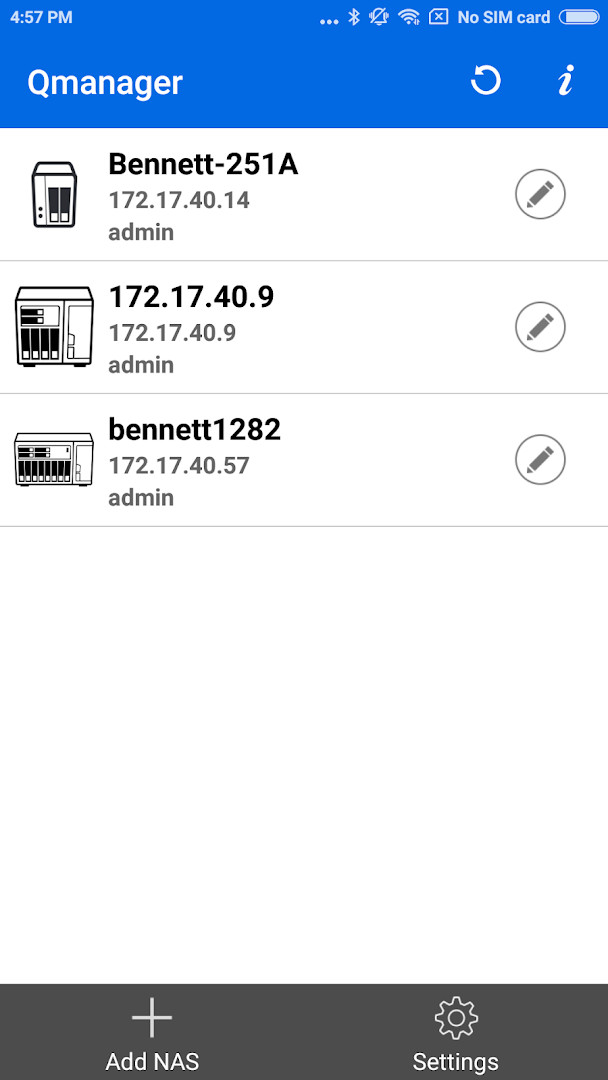
Qmanager is a productivity app from QNAP for monitoring and managing your QNAP NAS with your Android mobile device.
Get Qmanager · v2.30.0.1029Qmanager is for QNAP Turbo NAS owners who need to keep an eye on their storage from their Android phone. It lets you check system information like CPU and memory usage, view online users, and manage download and backup tasks remotely. The app is free, requires Android 8.0 or later, and works with NAS firmware V4.0 or later.
Screen gallery
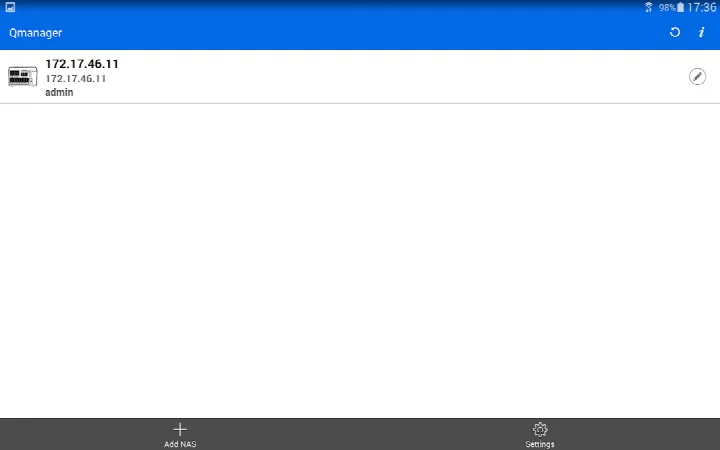
- Version
- 2.30.0.1029
- Requires Android
- 8.0
- Updated
- Nov 3, 2026
- Installs
- 500K+
- Rating
- ★ 3.73 (3,940)
- Category
- Productivity
- Developer
- QNAP
- Content rating
- Everyone
- Package
- com.qnap.qmanager
- Free
- ✓
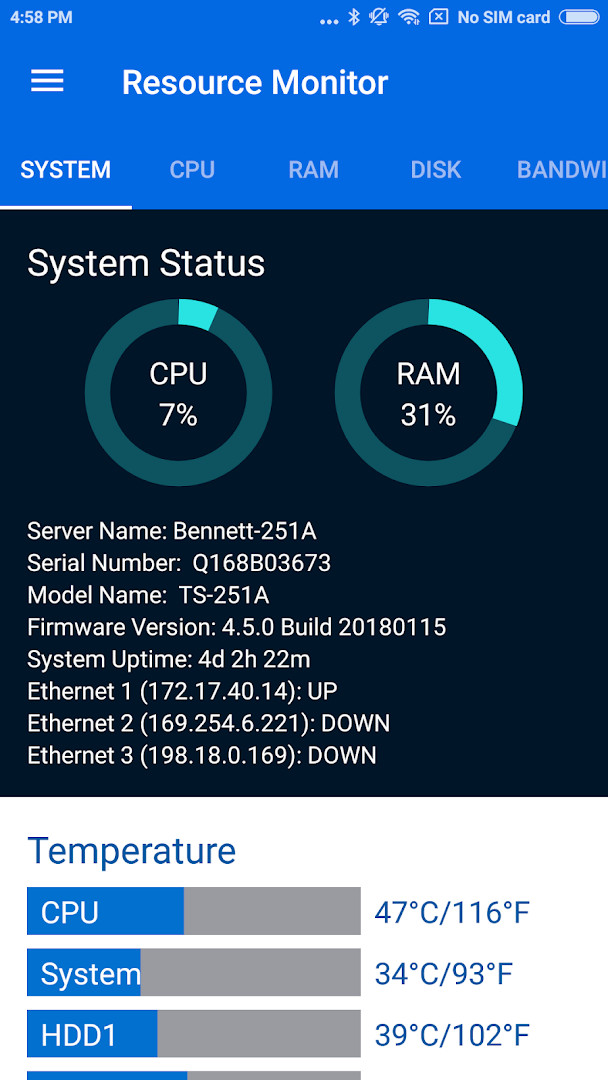
Qmanager is a productivity app by QNAP that lets you monitor and manage your QNAP Turbo NAS directly from your Android mobile device. It solves the problem of having to be at a computer or physically near your NAS to keep an eye on system health, control services, or run maintenance tasks. By connecting to your NAS over the network, the app provides real-time visibility into CPU and memory usage, system events, and connected users, and it gives you remote control over downloads, backups, and even the NAS's power state. Its straightforward interface is designed to give you a single dashboard for essential NAS administration without requiring a desktop client, making it a practical tool for home users and small offices alike.
Key features
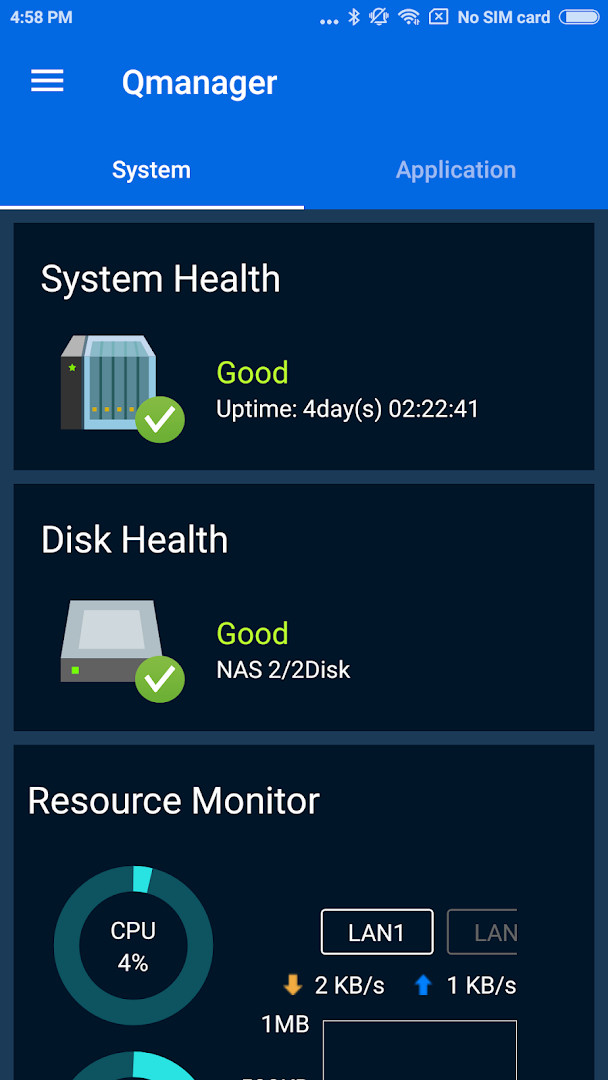
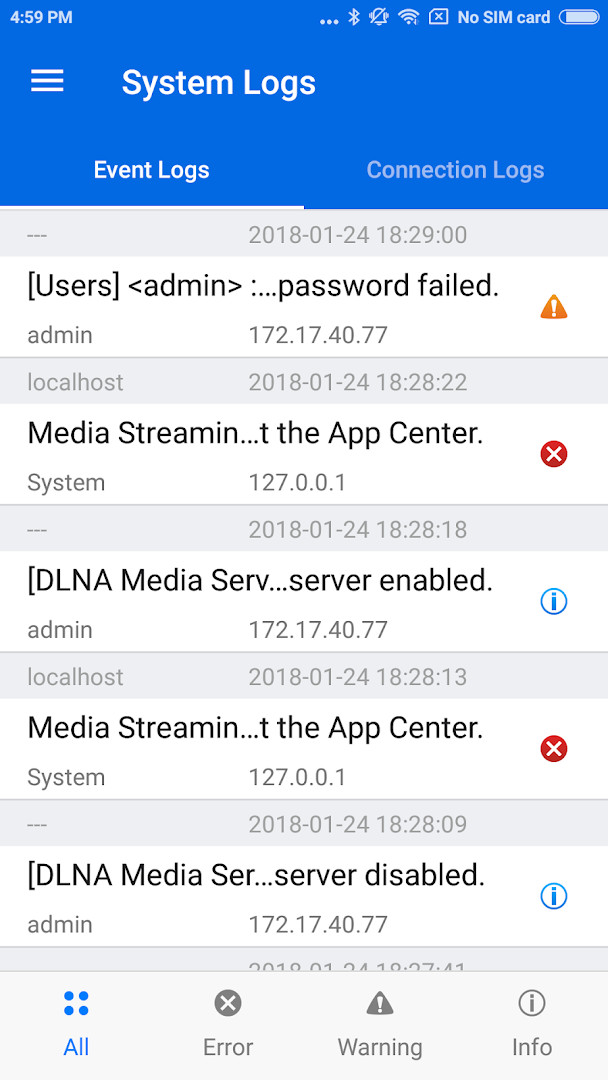
- Monitor CPU usage, memory usage, system event information, and online users in real time.
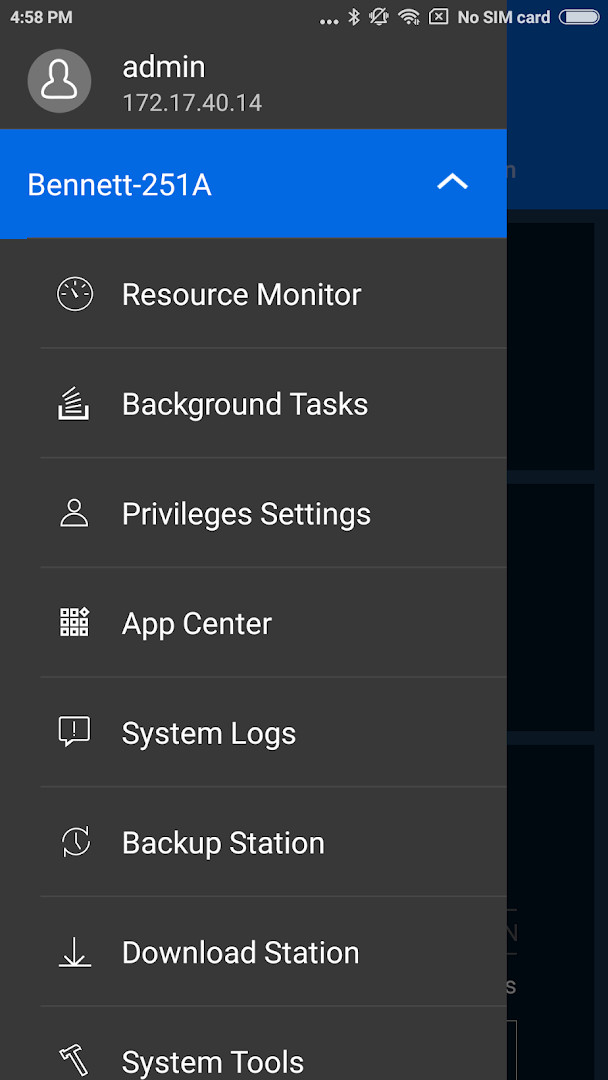
- View and manage Download Station and backup tasks remotely, including pausing or running tasks.
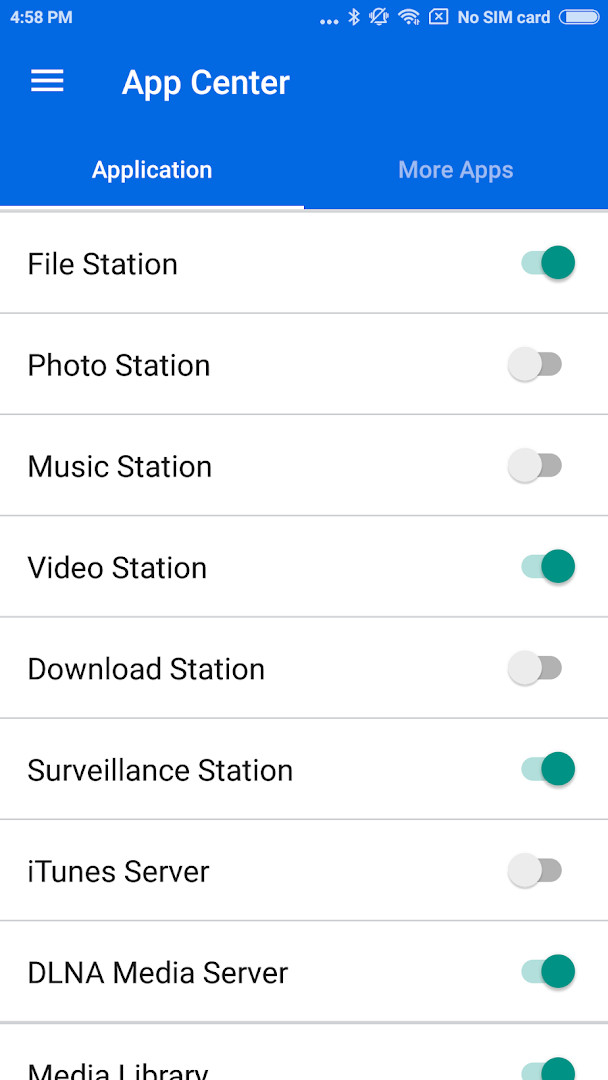
- Turn application services on or off with a single tap.
- Check connection status and see currently online users to help spot unauthorized access.
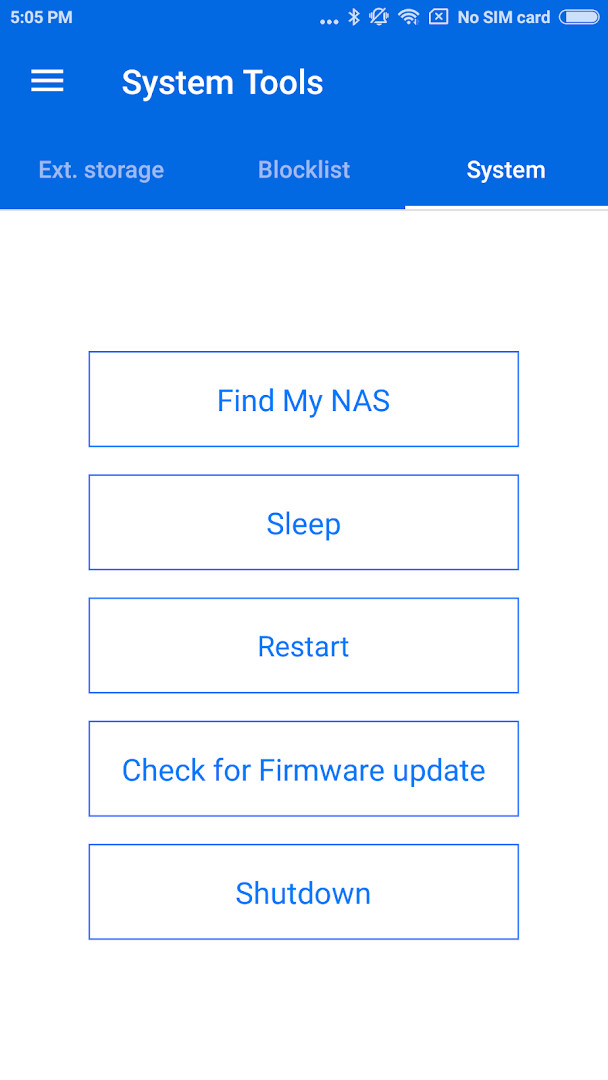
- Restart or shut down your Turbo NAS remotely.
- Use 'Find My NAS' to trigger a beep sound on the NAS to locate it.
- Support for Wake-on-LAN when connected to the local network.
- Display disk status, a feature added in the latest update.
How to install
- Tap the download button on this page to obtain the APK file.
- When your browser or file manager asks for permission to install apps, allow it by enabling the 'Install unknown apps' setting for that app.
- Open the downloaded APK file from your notification bar or file manager.
- Tap 'Install' when prompted, then wait for the installation to finish.
- Once installed, tap 'Open' to launch Qmanager. The app requires Android 8.0 or later; the file size is not listed.
Pros
- Free to download with no ads and no in-app purchases.
- Comprehensive remote management from your phone.
- Includes a 'Find My NAS' feature to locate your device.
- Ability to restart or shut down the NAS remotely.
- Security improvements and stability fixes in the latest version.
Cons
- Requires a QNAP NAS running firmware V4.0 or later.
- Requests broad permissions, including location, camera, microphone, and storage.
- Wake-on-LAN only works on local networks.
- Some users may find the permission list excessive for a management tool.
What's new · 2.30.0.1029
The latest Qmanager update (version 2.29.0.0831) adds a new feature that lets you view disk status directly from your Android device. This release also strengthens app security by addressing a potential vulnerability and includes several minor fixes aimed at improving overall stability. If you rely on Qmanager for remote NAS monitoring, this update brings useful visibility into your storage health.
Version history
| Version | Size | Requires Android | Updated |
|---|---|---|---|
| 2.30.0.1029 | — | 8.0 | Nov 3, 2026 |
| 2.29.0.0831 | — | 8.0 | Sep 4, 2026 |
| 2.12.1.0321 | 30 MB | 4.4 | Aug 2, 2026 |
Qmanager is best suited for owners of QNAP Turbo NAS devices who want to keep an eye on their storage system from anywhere. Whether you're a home user who wants to check disk health and system load, or a small business administrator who needs to manage downloads, backups, and services remotely, this app puts essential controls in your pocket. It's also useful for anyone who wants to quickly restart their NAS or ensure security by checking online users. However, you'll need a compatible QNAP NAS with firmware V4.0 or later, and the app is designed to work best on a 480 x 800 resolution screen.
Before installing, review the permissions the app requests. If you're concerned about privacy, consider denying any permissions you don't need, such as microphone or camera, since the app may still function for basic monitoring. Also, ensure your NAS firmware is up to date to make the most of the latest features like disk status display.
Permissions
Frequently asked questions
How do I install Qmanager on my Android device?
Download the APK using the download button on this page, then open the file and confirm the install prompt. Your device needs Android 8.0 or later, and your NAS should be running firmware V4.0 or newer.
What is the latest version of Qmanager?
The current version is 2.29.0.0831, released on 2026-09-04. It added disk status display, a security fix for a potential vulnerability, and stability improvements.
Does Qmanager show ads or offer paid upgrades?
No. Qmanager is free, contains no advertising, and has no in-app purchases. You get the full feature set without paying.
Can I use Qmanager offline?
Qmanager is built to connect to your QNAP NAS, so it needs a reachable network path to your device. Wake-on-LAN works only on a local network, while other monitoring and management functions depend on your connection to the NAS.
Which permissions does Qmanager request?
The app asks for Location, Photos/Media/Files, Storage, Camera, Microphone, and Wi-Fi connection information. These support features such as connecting to your NAS and locating it on your network.
What can I actually do with Qmanager?
You can watch CPU and memory usage, review system events and online users, check download and backup tasks, pause or restart those tasks, toggle application services, and remotely reboot or shut down the NAS. A beep feature helps you locate the unit.
Are there other apps in the same category?
Yes, the productivity category includes other remote monitoring and management tools for servers and network storage. Compare supported hardware, required firmware, update frequency, and permission requests before choosing.
Qmanager offers a practical way to manage your QNAP NAS from your Android device, with a good range of monitoring and control features. It's a reliable companion for QNAP owners, though you should weigh the permissions it requests against your comfort level.
Similar apps



Updated: Nov 8, 2026